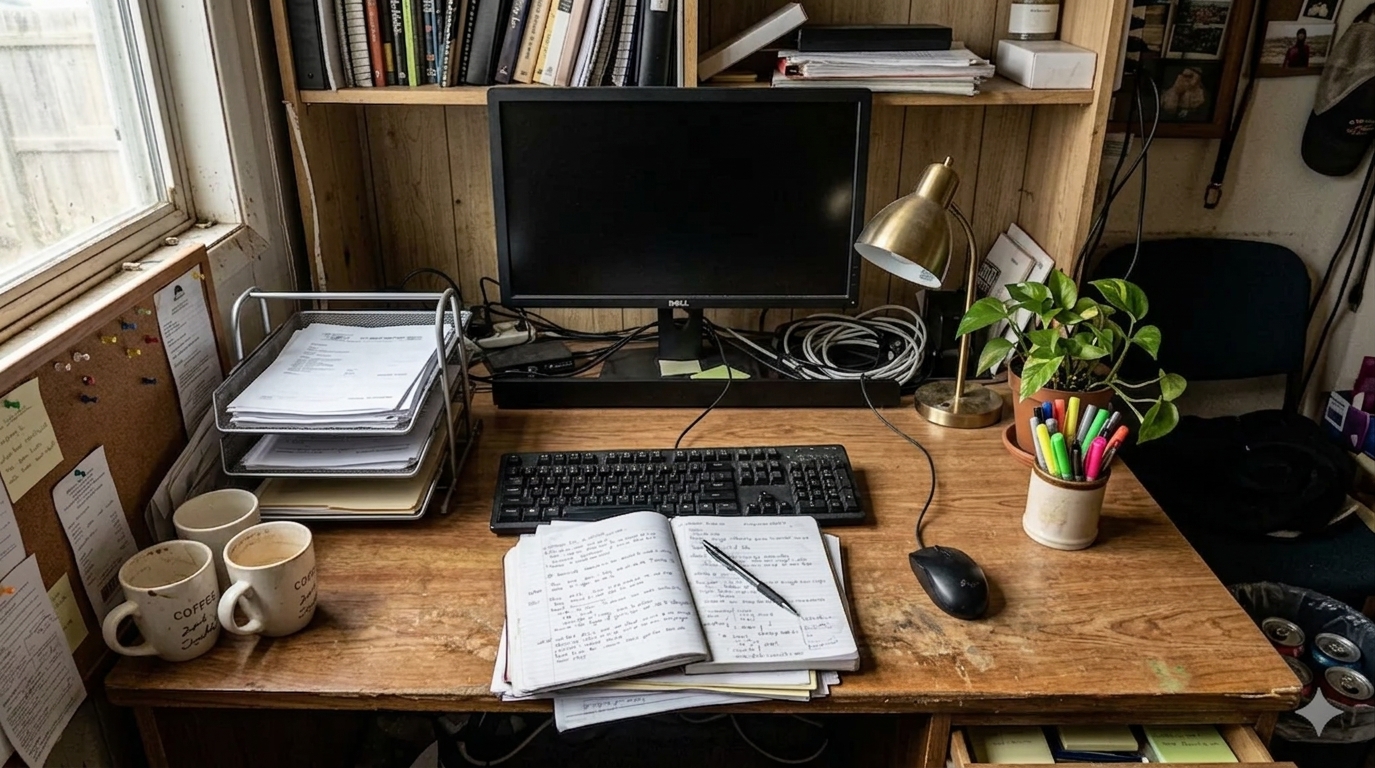
How to Organize Office Paperwork Without Letting It Take Over Your Desk
If you need to organize office paperwork, the real problem usually is not paper itself. It is that paper spreads across the same surface you need for actual work. Bills, notes, printed drafts, meeting handouts, receipts, and forms all start to feel equally urgent, so the desk becomes a holding area instead of a workspace.
That is why the fastest way to organize your workspace when paper is taking over is not to file everything perfectly in one sitting. It is to separate active paper from reference paper, give pending documents one visible home, and stop the desk from becoming long-term storage.
TidySnap helps when you can see that the paper piles are a problem but cannot quickly tell what should stay visible, what should move to the side, and what should leave the desk entirely. You upload a real photo of the workspace, and TidySnap turns that visual clutter into a cleanup plan you can actually follow.
Quick Answer: How Do You Organize Office Paperwork?
If paper keeps taking over your desk, start here:
- remove trash, envelopes, duplicates, and papers that no longer need a decision
- separate paperwork into active, waiting, reference, and archive groups
- keep only today’s active paper on the main work surface
- give pending paperwork one tray or one clearly defined stack
- move reference paper off the center of the desk
- store archive paper somewhere other than the main workspace
- do a short paper reset at the end of the day
For most people, that is enough to make the office feel manageable again without turning the whole project into a filing marathon.
What People Usually Mean When They Want to Organize Office Paperwork
Most people are not searching for paperwork organization because they love labels or folders. They are trying to solve one of these more practical problems:
- papers are spreading across the desk and blocking real work
- important documents keep getting mixed with low-value paper
- the office looks cluttered even after basic cleaning
- there is no clear difference between paper that needs action and paper that just exists nearby
- every cleanup session turns into reading every page again
In other words, the issue is often not paper volume alone. It is paper without boundaries.
Why Paper Clutter Feels Worse Than Other Desk Clutter
Paper creates a special kind of friction because it carries decisions.
A charger can be moved quickly. A pen can be dropped into a cup. A document often makes you stop and ask:
- do I need this today?
- is this finished?
- should I scan it?
- can I throw it away?
- where would I find it later?
That is why paperwork builds mental drag so fast. It is not only visual noise. It is visible unfinished business.
Start With Four Paper Categories, Not a Perfect Filing System
If you try to organize every sheet one by one, the project gets heavy immediately. A better first pass is to sort paper into just four groups.
| Category | What belongs there | Where it should live |
|---|---|---|
| Active | documents you are using today or this week | on the desk, but contained |
| Waiting | forms, bills, approvals, or notes that still need action | one tray or one review stack |
| Reference | information worth keeping nearby but not touching daily | drawer, file holder, or shelf |
| Archive | old records, finished projects, past paperwork | file box, cabinet, or off-desk storage |
This works because it reduces the first decision from “What is the perfect home for this page?” to “What kind of paper is this right now?”
The Fastest Paper Reset for a Busy Office
A practical paperwork reset usually follows this order.
1. Remove the obvious paper that is not really paperwork anymore
Start with the low-value stuff:
- empty envelopes
- packaging inserts
- duplicate printouts
- old receipts you do not need
- random scraps with no useful information
- paper that belongs in recycling right now
This matters because subtraction is easier than sorting. Clear the dead paper before you organize the live paper.
2. Pull all loose paper into one review zone
Do not organize from five different piles around the desk.
Gather loose paper from:
- under the keyboard
- beside the monitor
- inside notebooks
- under chargers and devices
- side tables or shelves that feed the desk
Once paper is visible in one review zone, it becomes easier to sort without missing hidden piles.
3. Protect the center of the desk first
The desk center should support your current task, not your entire paper history.
Keep the center for:
- the current document
- one notebook or planner
- keyboard and mouse space
- writing room for active work
If reference papers and waiting papers stay in the center, the desk will keep feeling crowded even when it is technically organized.
4. Create one home for paperwork that still needs action
This is the step most people skip.
Paper that still needs a decision should not stay spread flat across the desk. Give it one visible place, such as:
- one inbox tray
- one standing file holder
- one clearly defined review stack
- one folder for urgent action items
The goal is not to hide the work. The goal is to stop unfinished paper from taking over the whole surface.
5. Move reference paper off the main surface
Reference documents often deserve to stay nearby, but not in the middle of your work area.
Examples include:
- printed instructions
- project background notes
- forms you may need later this week
- vendor or account information
- meeting notes you still want to keep
Keep them accessible, but move them to a drawer, side file, shelf, or vertical holder instead of leaving them as a flat layer on the desk.
A Better Rule for What Stays on the Desk
If you are trying to organize your workspace around paperwork, use this simple rule:
| Paper type | Keep on desk? | Better placement |
|---|---|---|
| Needed right now | yes | active work zone |
| Needs action soon | maybe | one tray or review stack |
| Useful later | no | side file, drawer, or shelf |
| Finished or old | no | archive storage |
| Trash or duplicates | no | recycle or discard |
That one distinction usually solves more clutter than buying new organizers.
How to Organize Office Paperwork If You Also Work Digitally
A lot of office desks now hold both physical and digital work, which makes paper clutter harder to manage. A printed draft might sit beside a laptop, handwritten notes, a charging cable, and two notebooks from different projects.
That is why paper needs stronger boundaries in a modern workspace.
A useful setup usually looks like this:
- active screen work in the center
- one active paper item beside it
- one holding place for paper that needs action
- everything else off the main surface
If your desk is already tight, you may also want to read How to Organize Your Workspace When Your Desk Is Too Small.
Where TidySnap Helps
This is where a lot of people stall. They know they should sort the paper, but when they look at the actual desk, the questions get more specific:
- which paper pile is actually the problem?
- what deserves to stay visible?
- what should move to the side instead of leaving the room?
- how much of the desk is being used as storage instead of workspace?
TidySnap helps answer those questions from a real photo of your office. Instead of only giving generic decluttering advice, it can help you:
- spot paper-heavy zones that are crowding the desk
- separate active paper from background clutter
- protect the center work area
- see which items should be grouped into one review point
- create an after-state that is easier to maintain later
That is especially useful when the office is not extremely messy, but paperwork keeps quietly spreading until the room feels harder to use.
A 15-Minute Paperwork Reset You Can Actually Repeat
If you want a realistic routine, use this order:
| Minute | Action | Goal |
|---|---|---|
| 0-3 | remove junk mail, envelopes, duplicates, and obvious recycling | cut low-value paper fast |
| 3-6 | gather all loose paper into one review zone | stop paper from hiding across the desk |
| 6-9 | separate active, waiting, reference, and archive paper | reduce decision overload |
| 9-12 | move reference and archive paper off the desk | restore usable workspace |
| 12-15 | leave one active document and one action stack only | make the setup easy to restart tomorrow |
This works because it improves the desk before you attempt perfect filing.
Common Mistakes When Organizing Office Paperwork
The biggest ones tend to be:
- reading every page before making basic categories
- keeping all paper visible because it feels safer
- mixing active work with finished paperwork
- using the entire desk as an inbox
- creating too many folders before defining what really needs to stay nearby
- forgetting to recycle duplicates and expired paper first
An organized office does not require zero paper. It requires fewer open decisions on the surface.
Final Takeaway
If you want to organize office paperwork, start by protecting the desk from becoming a paper warehouse.
Clear the obvious junk first, sort paper into a few practical groups, keep only active documents on the main surface, and give unfinished paperwork one visible home instead of five scattered piles. That is what makes the office feel easier to work in again.
And if you want help turning your real paper clutter into a clearer layout, TidySnap can turn one workspace photo into a visual cleanup plan built around the desk you actually use.
FAQ
What is the fastest way to organize office paperwork?
The fastest way is to remove obvious junk paper first, gather the remaining paper into one review zone, sort it into active, waiting, reference, and archive groups, and keep only current work on the desk.
How do I keep paperwork from piling up on my desk?
Give pending paper one tray or one review stack, move reference paper off the main surface, and do a short daily reset so unfinished documents stop spreading across the desk.
Should paperwork stay on the desk?
Only the documents tied to your current task should stay on the desk. Paper that needs action can stay nearby in one defined place, but reference and archive paper usually belong off the main surface.
What is the difference between active paper and reference paper?
Active paper supports the work you are doing right now or this week. Reference paper is useful to keep, but it does not need to sit in the center of the desk every day.
Can TidySnap help with paper clutter?
Yes. TidySnap can analyze a photo of your actual workspace and help you see where paper is crowding the desk, which piles deserve to stay visible, and which documents should move into a more contained layout.