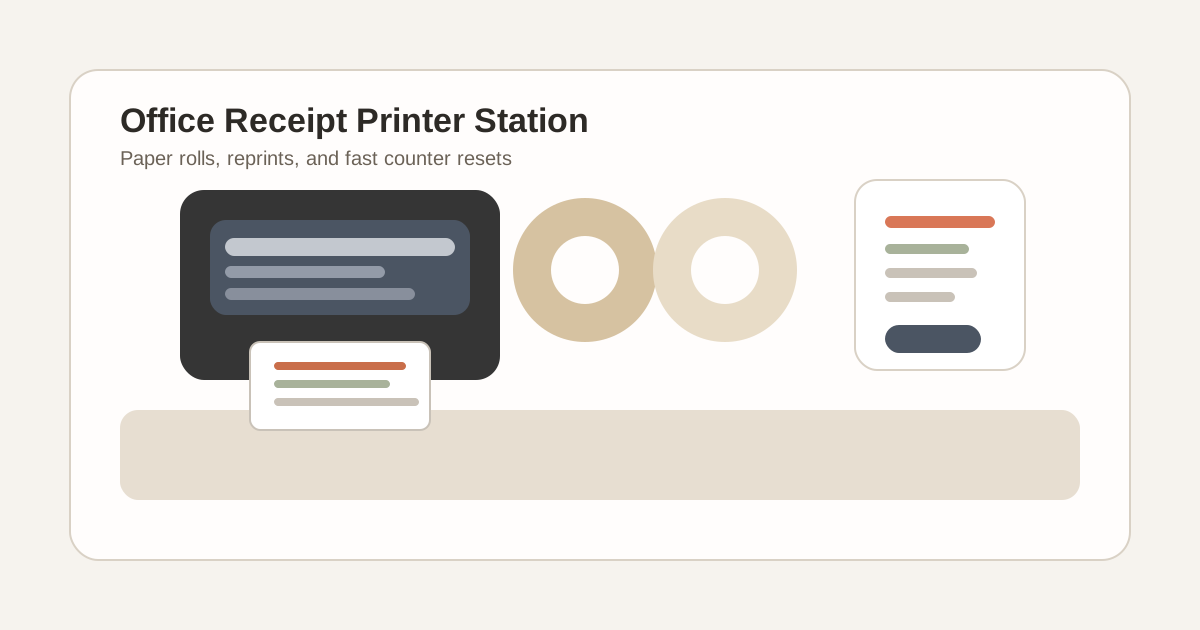
Office Receipt Printer Station Organization for Paper Rolls, Reprints, and Counter Resets
A receipt printer makes clutter look temporary right up until the same scraps and spare rolls have lived beside it for a week.
One reprint stays out because a customer may come back. A half-used paper roll gets parked beside the machine because it still has some life left. A jammed strip sits near the cutter because someone wants to remember the printer acted up. The backup power cable lands behind the printer after one hurried fix. None of that looks serious by itself, but together it turns a small printer into a permanent clutter anchor on the counter.
If you want to organize an office receipt printer station, the goal is not only making the printer look neat. The goal is making print, tear, reprint, reload, and reset simple enough that receipt supplies and leftover slips stop spreading into the same few inches of workspace.
Quick answer
An office receipt printer station works better when you separate five functions clearly:
- live print zone for the printer and the receipt coming out right now
- paper-roll support for one active backup roll and nothing more
- reprint lane for the one slip or order note that still needs action
- troubleshooting spot for error notes or jam checks that should not stay on the main surface
- daily reset path that clears extra scraps, loose cords, and finished reprints fast
That usually means keeping the printer output path empty, moving backup rolls and adapters just outside the live print area, and refusing to let old slips keep pretending they are still active.
Why receipt printer stations become messy faster than they look
Receipt printers create a different kind of office clutter than a payment terminal, badge printer, or receipt scanner.
A payment terminal centers on the customer handoff. A receipt scanner centers on capture and recordkeeping. A receipt printer creates a stream of tiny physical leftovers: test prints, duplicate receipts, short misfeeds, partial rolls, and little notes about why something had to be reprinted.
That usually means the station starts collecting:
- loose paper rolls or half-used roll cores
- duplicate receipts waiting for handoff or filing
- reprint slips that still need checking
- scraps from jams or cutter problems
- spare cables or power adapters left nearby after a quick fix
- sticky notes explaining a refund, void, or second copy
Because each item feels short-term, people stop seeing the buildup until the station feels crowded every day.
Start by protecting the live print path
The most important space is not the whole counter. It is the small path where the receipt actually prints, gets checked, and leaves.
That live print path should include:
- the printer itself
- the output space in front of the slot
- enough room to tear or collect the current receipt cleanly
- one immediate landing spot for the current slip only if your workflow truly needs it
Everything else should have to justify being in that zone.
If paper rolls, sticky notes, pens, cable slack, or old receipts are sitting where fresh output lands, the station is already doing too many jobs at once.
Keep backup paper close, but not in the output zone
Paper rolls are one of the biggest reasons a receipt printer station starts looking busy.
People keep the spare roll right beside the printer so reloads feel faster. Then another half-used roll stays nearby because it still works. Then an empty core hangs around because nobody dealt with it. Soon the printer is surrounded by circular paper clutter that has nothing to do with the receipt being printed now.
A better rule is simple:
- keep one in-use roll inside the machine
- keep one ready backup roll in a defined support spot
- move extra stock outside the live station
- remove empty cores immediately
The printer should not also be a paper-roll shelf.
Separate reprints from completed receipts immediately
Most receipt-printer clutter comes from status confusion.
One slip is finished and ready to hand over. Another needs a second copy. Another printed for a test. Another belongs to a void or correction. If all of those sit in one small pile, the printer area starts carrying memory for the whole transaction trail.
Create one short reprint lane for items that still need action.
That lane should hold only:
- the receipt being reprinted now
- one exception slip waiting for confirmation
- one short note tied to the current issue
Completed receipts should move to the customer, the order packet, or the record flow right away. The printer station should not become a tiny archive of things that already happened.
Give jams and printer issues a fast exit
A messy receipt-printer area often means the machine has become the place where printer problems live physically.
A torn strip stays there because the cutter caught. A sticky note mentions the paper fed crooked. A cable gets unplugged and left in a strange route after troubleshooting. Someone leaves the cover open for a minute and then gets pulled away.
Those issue signals matter, but they should not stay parked in the live print zone.
Create one troubleshooting spot just outside the main station for:
- jam scraps
- a quick maintenance note
- one backup adapter or interface cable
- one temporary test receipt during setup
Once the issue is resolved, that material should clear out fully. If the printer area keeps displaying old problems, staff start working around yesterday’s printer story instead of today’s workflow.
Keep the cord path deliberate
Receipt printers often look cluttered because of cords more than paper.
A power brick sits in view because the outlet is awkward. A USB cable loops across the counter because the printer got shifted during cleaning. A spare cord stays nearby because nobody trusts the current setup. That makes a compact machine feel improvised.
A cleaner setup usually means:
- one stable power route
- no extra cable coil beside the printer
- no borrowed chargers or adapters mixed into the station
- one clear place for the printer body so the cord path does not keep changing
The printer should feel installed, not temporarily borrowed.
Stop letting the printer station absorb unrelated counter tools
Once a printer corner exists, it starts attracting small items that feel vaguely related.
Pens, staplers, label scraps, sticky notes, scissors, return slips, rubber bands, and tape all start landing near the machine because the station already looks task-oriented. That is how one receipt printer becomes the center of a broader clutter patch.
Keep only the tools that directly support receipt printing in the station itself. If another tool belongs to packaging, filing, cashiering, or front-desk admin, give it a different home even if it gets used nearby.
Build a one-minute counter reset for the printer area
A receipt printer station does not need a full reorganization every day. It needs a repeatable ending.
A practical reset looks like this:
- remove duplicate or finished receipts from the station
- throw away jam scraps and empty roll cores
- return the printer to its normal position if it drifted
- confirm one backup roll is ready in the support spot
- straighten the cable path and remove unrelated tools
- leave the output area empty for the next print
That reset matters because receipt-printer clutter usually comes from unfinished tiny endings, not from large supply problems.
Common mistakes that keep receipt printer stations cluttered
Treating the printer like a storage edge
If the top or side of the machine stays empty for a few minutes, people start parking paper there.
Keeping every half-used roll in sight
That usually creates more visual noise than real preparedness.
Leaving reprints mixed with completed slips
When every small strip looks equally active, the station becomes harder to trust.
Troubleshooting in place and never fully clearing it
A solved jam should not still shape tomorrow’s setup.
Letting the printer share space with unrelated front-counter tools
That turns a tight print station into a general clutter magnet.
A better layout for most office receipt printer stations
If you want a practical default setup, try this:
- center: receipt printer and clear output path only
- one side: one small support spot for a single backup roll
- other side: one short reprint lane for the current exception only
- nearby but separate: one troubleshooting pocket for cable or jam checks
- off the station: extra stock, extra tools, and unrelated paperwork
That layout works because it matches the real sequence: print, check, hand off, reprint if needed, reset.
Where TidySnap helps
Receipt printer mess is easy to normalize because each leftover strip looks minor. One real photo usually shows the pattern faster: backup rolls crowding the printer, cables cutting across the counter edge, and old reprints still parked where fresh receipts should land.
TidySnap helps you turn that actual printer corner into a clearer layout for live printing, backup rolls, exception handling, and fast resets based on the space you really have.
Final thought
A good receipt printer station should feel boring in the best possible way.
When the output path stays clear, backup rolls stop living on display, reprints get one short action lane, and tiny scraps leave the counter quickly, the printer becomes easier to trust and the whole workspace feels less half-finished.