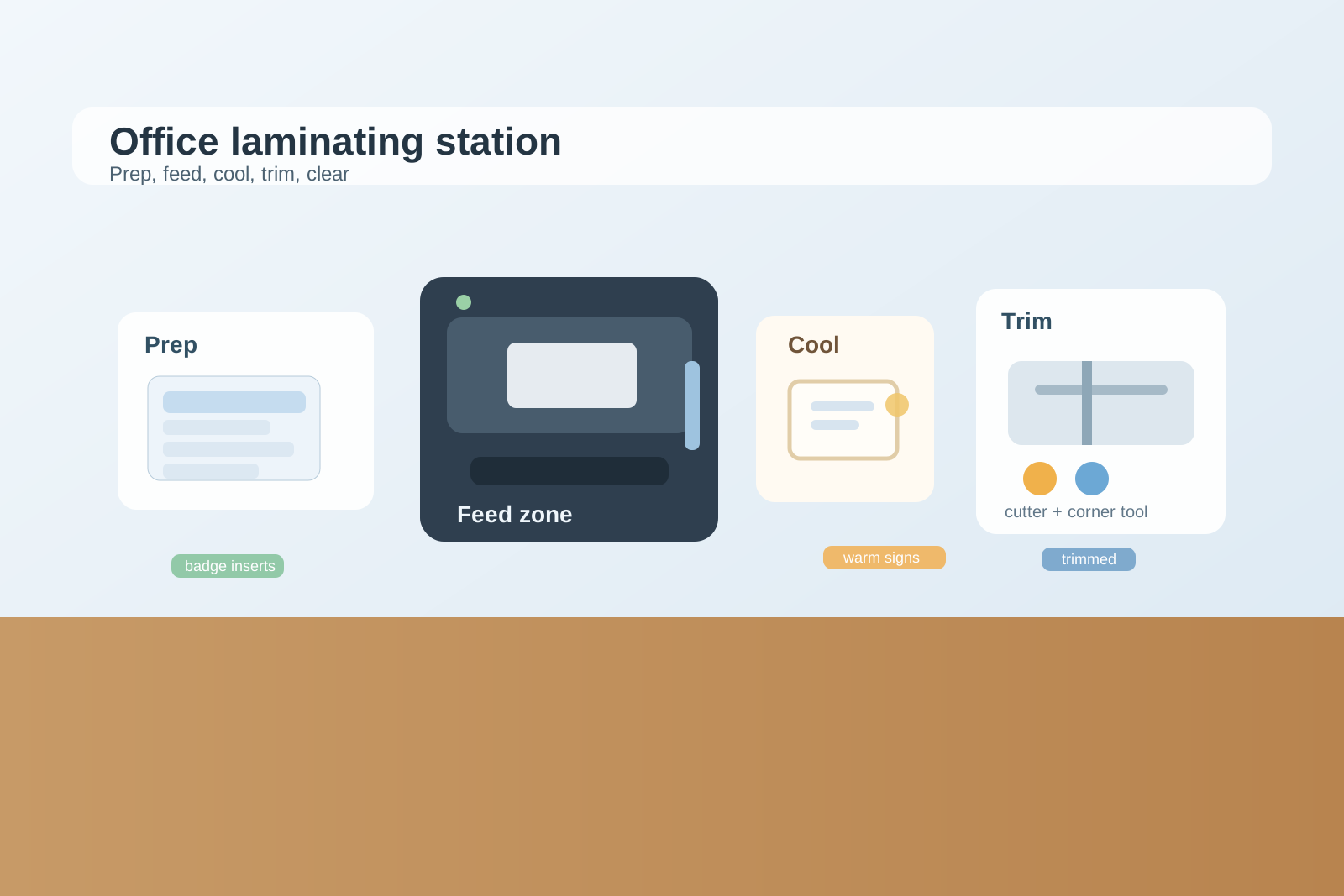
Office Laminating Station Organization for Signs, Badge Sleeves, and Last-Minute Handouts
A laminating station usually looks messy for a very specific reason: unfinished pieces linger at every stage.
One sign insert is waiting to be trimmed. A half-used pouch pack is open because someone needed only two sheets. Badge sleeves are mixed with printed inserts. A still-warm page is cooling on the nearest clear corner, which means the next person sets their materials on top of the paper cutter instead. Then a last-minute training handout shows up, and the whole area turns from a quick finishing station into a crowded patch of plastic, paper, and scraps.
If you are trying to organize an office laminating station, the goal is not making the area look empty. The goal is making it obvious what is ready to laminate, what is cooling, what still needs trimming, and what should leave the station as soon as the job is finished.
Quick answer
An office laminating station works better when you separate prep materials from hot output, keep pouches and finished sizes easy to identify, protect one short cooling lane, and give trimmed scraps a place to go immediately instead of letting them collect around the machine.
In practice, that usually means:
- keeping unlaminated inserts in one prep zone
- storing pouch sizes by actual use, not in one mixed pile
- leaving one safe landing area for warm finished pieces
- keeping the cutter and corner-rounder in a finishing zone, not under active paperwork
- clearing scraps and test sheets before they become permanent station clutter
Why laminating stations get messy faster than expected
A laminating area supports several tiny steps that all feel temporary.
There is the printed sheet that still needs alignment, the pouch that is ready to feed, the finished piece that should cool flat, the edges that need trimming, and the extra copies someone made just in case one run bubbles or jams. Because each piece seems like it will be handled again in a minute, people leave it on the nearest surface.
That is why laminating clutter spreads differently from printer clutter. The mess is not only about paper supply. It is about in-between states. A sign is not trash, but it is not finished either. A badge insert is not active paperwork, but it still cannot be put away. Without a simple flow, every stage stays visible at once.
Build the station around sequence, not around tools alone
Many offices store laminating supplies by item type first: pouches in one drawer, cutter somewhere nearby, badge sleeves in another bin, signs stacked on a shelf. That sounds organized, but it often forces people to build the workflow across several random surfaces.
A better setup follows the actual job sequence:
| Zone | What belongs there | What should stay out |
|---|---|---|
| prep zone | printed inserts, blank sign cards, badge sheets, the pouch size in current use | finished pieces, scrap edges, backup stock |
| feed zone | laminator, one short queue of ready items | stacked papers, tools not needed for the next pass |
| cooling zone | freshly laminated pieces lying flat | unopened supply packs, active prep work |
| finishing zone | cutter, ruler, corner-rounder, one small stack waiting for trimming | hot output, mixed office supplies |
| backup zone | spare pouch packs, less-used sizes, seasonal sign materials | today’s active batch |
This matters because it keeps each piece moving forward. The station becomes easier to read when people can see where a job starts, where it passes through heat, and where it gets finished.
Keep pouch sizes and badge materials from blending together
Laminating stations often look more chaotic than they are because too many formats stay mixed together.
Letter-size pouches, menu-size pouches, name badge sleeves, directional sign inserts, luggage tags, and odd seasonal materials may all live in the same drawer or stack. Then every quick task starts with sorting through plastic instead of finishing the job.
A better rule is simple:
- keep the most-used pouch size easiest to grab
- separate badge materials from sign materials
- label specialty sizes clearly enough that no one has to compare by eye
- remove bent, cloudy, or half-torn leftovers that nobody trusts enough to use
This reduces hesitation and keeps people from spreading open packs across the counter during a rushed job.
Protect one flat cooling lane
Freshly laminated pieces need a moment to cool flat, but offices rarely plan for that part.
So warm signs end up on top of supply boxes, half on the cutter, or balanced on a side pile of forms. That makes the station feel blocked even when only two or three pieces are in progress.
Protect one narrow cooling lane beside the laminator or directly behind it if the machine layout allows. That lane should stay open for only one purpose: finished pieces that need a short pause before trimming or pickup.
A designated cooling lane prevents two common problems:
- finished pieces getting bent because someone moved them too soon
- the next person stacking new work on top of items that were almost done
Separate finishing tools from everyday office overflow
The laminator area often attracts unrelated items because it already has a tool-like feel. Scissors from the mail station, pens from reception, tape from a shipping task, and old instruction sheets start settling there because nobody thinks of the space as a finished station.
That is how the cutter disappears under paper, the ruler walks away, and badge sleeves start sharing space with random supplies.
Keep only the finishing tools that truly support laminating work in that zone. If an item does not help you prep, feed, cool, trim, or round corners, it should not stay there.
Give scraps and failed runs an immediate exit
Trimmed plastic edges, cloudy test sheets, and bubbled passes create a quiet kind of clutter because they feel too small to matter.
But those scraps are exactly what make a laminating station look permanently busy.
Give the area one obvious discard point for:
- trimmed edges
- bad passes
- empty pouch sleeves or packaging
- outdated sign inserts that were replaced during the job
If scraps have no exit, they stay in thin messy layers around the machine, and the whole station starts looking active even when nothing important is happening.
When a laminating station needs a second support surface
Some offices use the laminator for more than occasional signs. They may be sealing visitor badges, training labels, desk nameplates, event packets, or wayfinding inserts throughout the week. When that happens, one tiny side counter may be doing too many jobs.
If people regularly need to print, laminate, trim, sort, and stack finished pieces in batches, keep the laminator on one surface and use a second nearby support surface for prep or finishing. The goal is not creating sprawl. It is separating hot-machine work from slower hand-finishing work.
A short reset that keeps the station usable
A laminating station usually does not need a full reorganization. It needs a quick reset after active jobs:
- clear the cooling lane
- return the current pouch pack to its real home
- throw away trimmed edges and bad passes
- move finished signs or badges out of the station immediately
- restack only the materials for the next active job
- leave the feed path and cutter surface open
That reset takes less time than rebuilding the area after three rushed jobs pile into each other.
Final thought
A good office laminating station does not just store pouches neatly. It makes unfinished stages easier to see and easier to finish. When prep materials, hot output, finishing tools, and scraps each have a clear lane, the station stops feeling like a plastic-paper bottleneck and starts acting like a reliable finishing point for the office.
If you want to improve the setup faster, take one photo of the laminating area and one photo of the nearest counter. TidySnap can help you spot which materials are truly active, which tools are drifting in from other workflows, and where the station needs a clearer sequence instead of more storage.