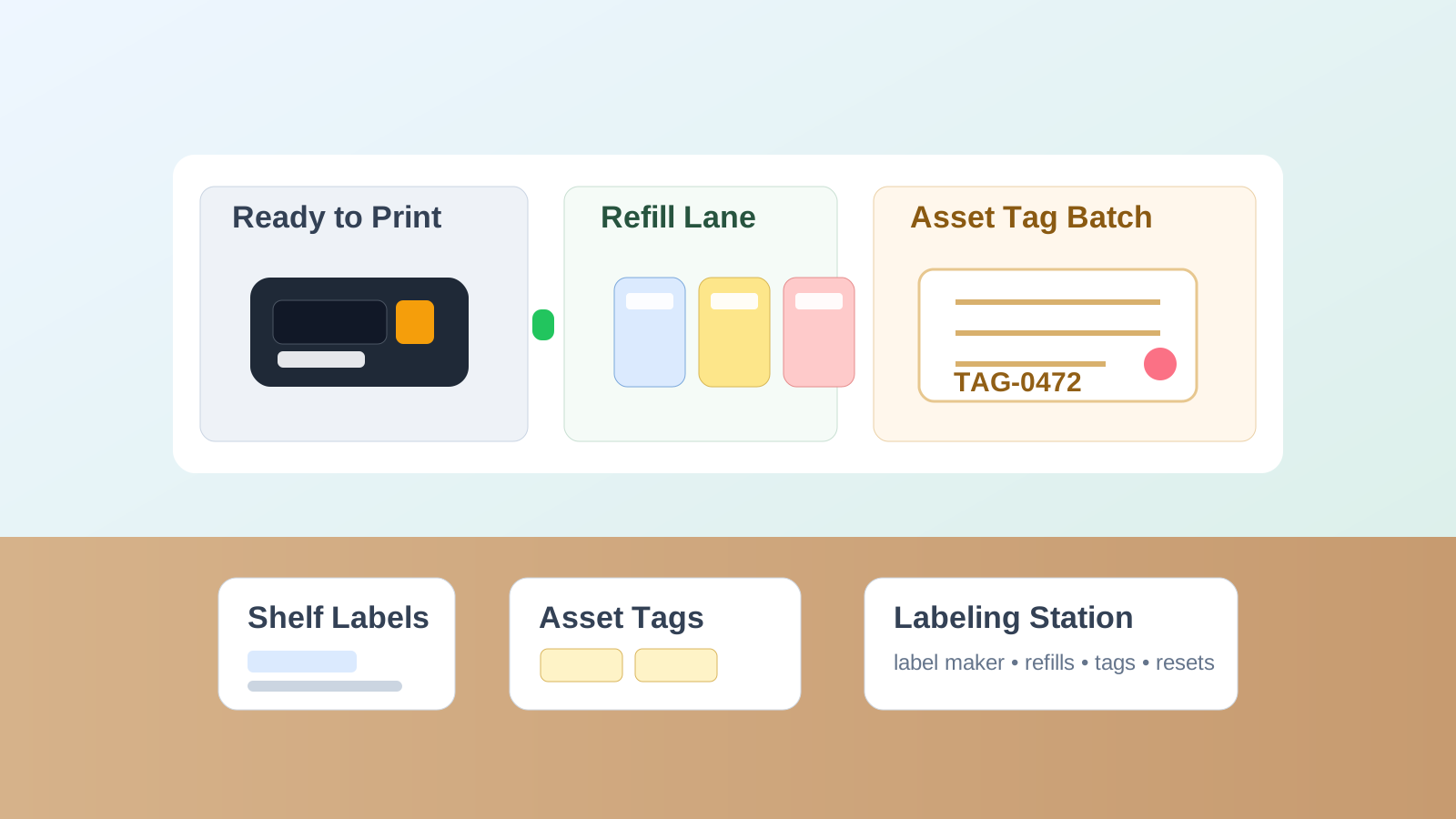
Office Labeling Station Organization for Label Maker, Tape Refills, and Asset Tags
Labeling clutter usually starts with a tiny tool and turns into a much bigger workspace problem.
Someone needs one shelf label, so the label maker gets pulled onto a desk. A half-used cartridge comes out because nobody remembers which tape is loaded. Spare batteries, adapter cords, and old label scraps show up beside it. Then someone starts a larger job like relabeling file drawers, storage bins, keys, or asset tags, and the whole setup stays spread out because there is no clear place to pause and resume.
If you want to organize your office without letting small tools create random pockets of clutter, a labeling station can help. The goal is not building a craft corner for office supplies. The goal is creating one reliable place where label jobs can start fast, pause cleanly, and finish without taking over another work surface.
Quick answer
An office labeling station usually works better when you:
- keep the label maker, power source, and current tape loaded together in one grab-and-go setup
- separate active refills from outdated or incompatible cartridges
- give unfinished labeling jobs one temporary holding lane instead of spreading them across a desk
- keep asset tags, shelf labels, and one-off name labels from mixing into the same pile
- limit scraps, test prints, and extra tools so the station stays useful for the next person
That usually works better than storing labeling supplies in three drawers and rebuilding the setup from scratch every time someone needs one clean label.
Why office labeling tools create more clutter than they seem like they should
A label maker looks simple because it is small.
But most office labeling work includes several small decisions at once:
- which label type or width is needed
- whether the current cartridge is the right one
- where extra refills live
- whether this is a quick one-label task or a bigger relabeling project
- what to do with partly finished tags, backing strips, and test labels
When those decisions happen on any open counter, the office ends up with a recurring mini-project that never fully disappears. The tool itself is small. The drift around it is what creates the mess.
Organize by workflow, not by supply size
A lot of offices store label supplies wherever the pieces fit: machine in one drawer, cartridges in another, tags in a supply cabinet, scissors somewhere else.
That saves space, but it slows down the actual work.
A better labeling station is built around the order a real task happens:
| Zone | What belongs there | What stays out |
|---|---|---|
| ready-to-print | label maker, current cartridge, power cable or batteries, one short reference note if needed | spare refills, unrelated desk tools, loose paperwork |
| refill lane | compatible tape cartridges, backup battery pack or adapter, small cleaning cloth | dead cartridges, mystery refills, old device manuals |
| job-in-progress lane | asset tags, shelf strips, bin labels, or items waiting to be labeled today | finished labels from old jobs, random office supplies |
| review or discard lane | old cartridges, misprints, curled scraps, labels with unclear purpose | active supplies still in use |
This keeps the station readable because it answers the next question quickly: print now, reload, continue a job, or clear leftovers.
Keep the label maker ready for the most common job
Most offices do not need the labeling station optimized for every possible cartridge type all day.
They need it optimized for the label job that happens most often. That might be:
- shelf labels
- file drawer labels
- storage bin labels
- asset tags
- temporary name or room labels
Choose the most common use and keep the machine ready for that one first. If every label job starts with swapping cartridges, finding the charger, or checking which tape is already loaded, people will delay the task and the station will start feeling unreliable.
A good default setup is one loaded machine, one visible power method, and one clearly separated group of compatible refills nearby.
Separate active refills from cartridge uncertainty
Label cartridges create the same kind of clutter that specialty printer paper does. They look tidy until nobody knows which ones still work, which widths match the machine, or which ones are only half-used leftovers from an older device.
Do not store all cartridges like they are equally useful.
Split them into:
- active refills you would actually load this week
- special-use refills for occasional color, width, or material differences
- questionable or outdated refills that need confirmation before anyone counts on them
That one split prevents the slowest part of a label job: standing there reading tiny cartridge labels while the machine waits on someone else’s desk.
Give larger labeling projects a pause point
This is what makes a labeling station different from a drawer full of supplies.
Quick jobs only need the machine. Bigger jobs need a clean place to stop and restart.
Think about the office tasks that expand once they begin:
- relabeling supply bins
- updating room signs
- tagging equipment
- replacing old file labels
- cleaning up mixed storage shelves
If those jobs do not have a temporary lane, the materials stay wherever the work last happened. That is how one relabeling session takes over a meeting table or admin desk for three days.
A small project lane works better. It does not need to be big. It just needs to hold the current tags, the item list, and the few pieces still waiting for the next step.
Keep asset tags separate from simple shelf or file labels
These jobs look related, but they create different clutter.
Shelf and file labels are usually fast print-and-place tasks. Asset tags often involve lists, numbering, verification, and items waiting to be checked before the tag goes on. If those workflows share one pile, simple jobs start feeling heavier than they need to.
A practical rule:
- keep everyday shelf or drawer labels in the ready-to-print flow
- keep asset tagging materials in a separate project lane until the batch is done
That way one inventory project does not block every routine label request in the office.
Control scraps before they become permanent station clutter
Labeling stations collect tiny leftovers fast:
- backing strips
- test prints
- crooked labels
- half-peeled scraps
- old sample labels stuck to the table edge
None of them looks important. Together they make the station feel messy and improvised.
The fix is simple: give scraps one tiny discard spot and empty it often. If a misprint or sample label is truly useful, it should move into the active job lane immediately. If not, it should leave.
What should live near the station and what should not
A good labeling station may need a few support items nearby:
- small scissors or snips if your labels need trimming
- a cloth for dust on surfaces before applying labels
- a short compatibility note if multiple cartridge widths exist
- one list or template for recurring asset-tag formats
What should not live there:
- general pens and markers
- random tape rolls
- printer supplies
- shipping tools
- office mail
- unrelated drawer-cleanout leftovers
The station works best when it stays narrowly useful.
A simple reset that keeps the station ready
Try this quick reset after a labeling session:
- return the loaded label maker to its home spot
- put active refills back in the refill lane
- move unfinished tags or items into the project lane
- throw away backing strips, test labels, and misprints
- remove any unrelated supplies that landed there during the task
That reset takes less time than rebuilding the whole setup every time someone needs one label for a cabinet or bin.
Where TidySnap helps
Labeling clutter is easy to underestimate because it looks like a handful of small supplies instead of a real workspace issue. TidySnap helps by showing how the label maker, refills, tags, and unfinished items are actually spreading across the station and the nearby surfaces around it. That makes it easier to set a tighter layout before the station turns into another small project zone nobody wants to touch.
Final thought
A good office labeling station does not need a lot of room. It needs a clear job.
When the machine is ready, refills are sorted by real usefulness, and larger tagging jobs have one clean pause point, label work stops leaking into the rest of the office. That is what makes the station practical: not more supplies, but less rebuilding every time someone needs to print one label or finish one batch.