A shared laptop shelf gets messy for a different reason than a normal desk or charging corner.
The problem is not only that devices and chargers take up space. It is that ready-to-use laptops, just-returned laptops, missing adapters, and half-charged setups often all land in the same narrow area. Once that happens, people stop trusting the shelf. They start parking gear on the nearest counter, carrying extras back to their desks, or leaving small parts wherever they last used them.
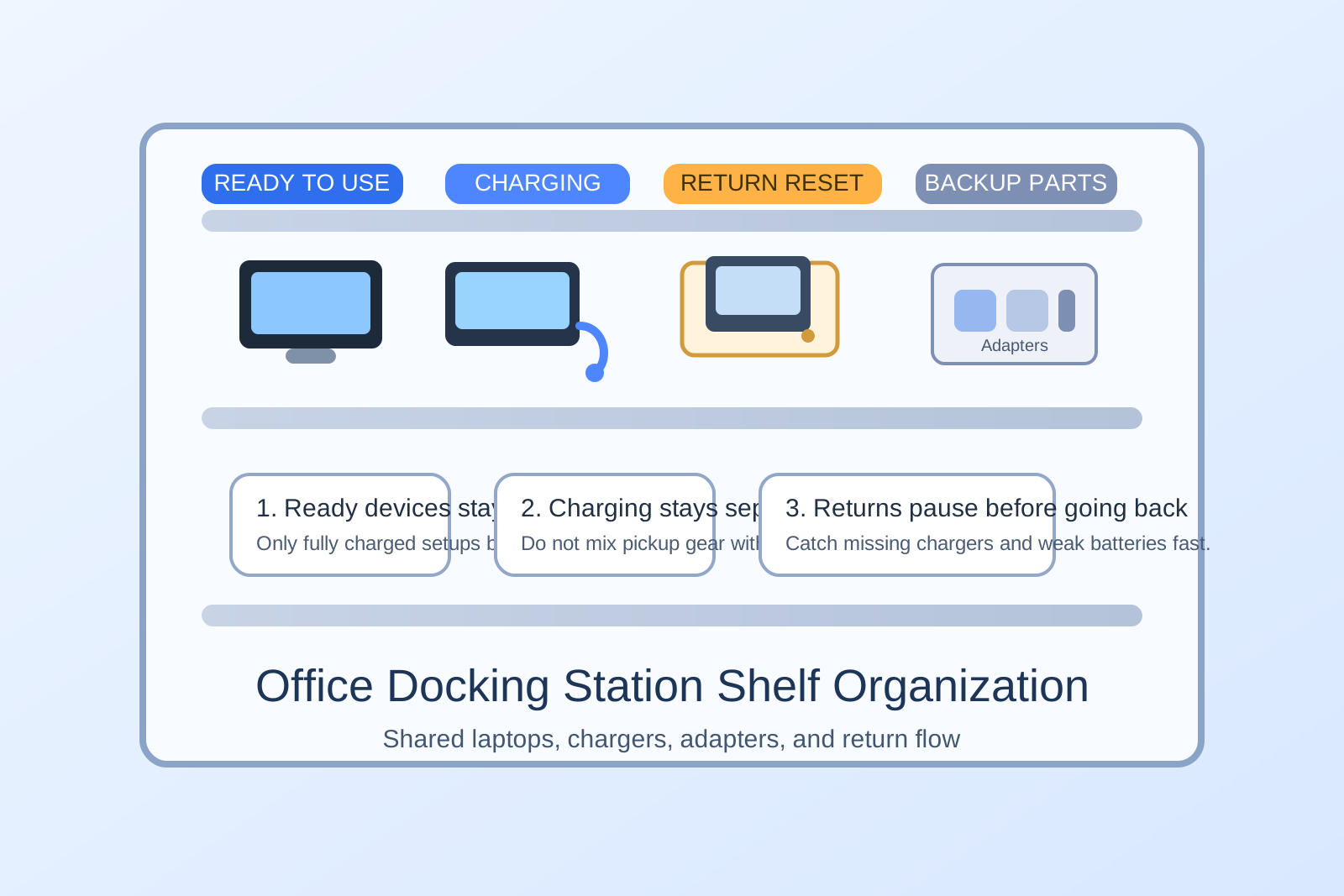
If you want to organize an office docking station shelf, the fastest fix is to organize by device status first and accessory type second. People should be able to tell, at a glance, what is ready, what is charging, what is missing a part, and what needs a quick reset before the next checkout.
Quick answer
Set up your docking station shelf in four clear zones: ready to use, charging now, returned for reset, and accessory backup. Keep each shared laptop paired with its usual charger and adapter, limit loose extras, and make incomplete returns obvious immediately. The goal is not to store every cable neatly. The goal is to make shared devices easy to trust and easy to put back correctly.
Why docking station shelves become tech clutter so quickly
Shared device shelves collect a very specific kind of friction.
One person returns a laptop without its charger. Another borrows a USB-C adapter and puts it back on the wrong level. A third leaves a machine plugged in but not actually charging because the cable is loose. Within a few days, the shelf still looks mostly full, but nobody knows which setups are truly ready.
That uncertainty is what creates clutter. When people cannot trust the shared shelf, they create private backup piles on desks, in drawers, or beside monitors. Then the office ends up with both a messy docking shelf and scattered device overflow.
Organize by status before model or brand
Most offices try to group shared tech by device type first. That sounds logical, but it often hides the real workflow.
A better system is to separate devices by current state:
- Ready to use: fully charged and paired with the standard charger or dock piece it should leave with.
- Charging now: devices actively powering up and not available yet.
- Returned for reset: devices that came back with fingerprints, notes, old files, missing parts, or low battery.
- Accessory backup: spare chargers, adapters, sleeves, mice, or dongles that should not float around the main shelf.
This makes the shelf easier to read in five seconds, which is what people actually need when they are grabbing a loaner before a meeting or putting one back between tasks.
Keep the ready row smaller than you think
A common mistake is filling the most visible shelf with every laptop you own.
That usually makes the station look full while hiding what matters. The ready row should only hold fully usable setups. If a laptop still needs charging, cleaning, or the correct adapter, it does not belong in the ready zone yet.
A smaller ready row works better because it creates a visible standard. People can see what a complete return looks like. They can also spot a problem fast instead of discovering it after carrying the device away.
Pair the usual charger with the usual device
Shared tech shelves get messy when all chargers are treated like interchangeable spaghetti.
Even if several devices use the same connector, people work faster when the standard pairing is obvious. If one laptop usually leaves with one USB-C brick and one slim adapter, keep that set together every time. Do not make people search a backup box for the last piece of a kit.
This does not mean you need elaborate bins for every part. It means each device return should have one default equipment set and one obvious home on the shelf.
Create a return-reset lane for incomplete check-ins
Returned devices should not go straight back into the ready area.
They need a short pause point where someone can answer a few simple questions:
- Is it actually charged?
- Did the correct charger come back?
- Is an adapter missing?
- Does it need a screen wipe or cable reset?
- Did someone leave a sticky note, label, or personal item with it?
That reset lane prevents small problems from being hidden inside the ready shelf. It also keeps the main docking area from becoming a tech version of lost and found.
Keep spare adapters in one backup zone, not everywhere
Small tech accessories multiply when people do not know where the extras belong.
If spare HDMI adapters, USB-C hubs, ethernet dongles, or mini chargers are spread across several shelves, people will keep borrowing parts without fully returning them. A single accessory backup zone works better because it creates one predictable place to look before anyone starts opening drawers or searching nearby desks.
Keep this backup area close to the docking shelf, but visually separate from ready-to-use devices. You want people to understand that backup parts support the system. They are not the main system.
Make charging status visible without making cables take over
A charging shelf can look organized and still fail in real use.
The usual issue is that too many loose cords hang across devices, block vents, or make it hard to remove one machine without disturbing three others. The fix is not perfect cable styling. It is making the charging path simple enough that someone can plug a device in correctly on the first try.
If possible, give charging devices their own section where power cables stay short, obvious, and stable. Avoid mixing active charging with ready pickups on the same narrow level. When those states share space, people unplug the wrong thing and the shelf starts lying about what is available.
Do not let the shelf become overflow storage for random tech
A docking shelf often starts collecting things that do not belong there at all.
Old keyboards, unlabeled cables, retired docks, empty packaging, mystery power bricks, and one-off accessories all feel close enough to shared devices that people leave them there. That is how a useful laptop station turns into a general tech graveyard.
Keep one rule simple: if an item does not help someone check out, return, charge, or reset a shared device, it should live somewhere else.
Use a five-minute end-of-day reset
Shared tech areas do not stay clean because of one big reorganization. They stay reliable because someone can restore the shelf quickly.
At the end of the day, do a short reset:
- Move incomplete returns out of the ready zone.
- Confirm charging devices are actually charging.
- Re-pair any charger or adapter that drifted away from its default device.
- Remove unrelated cables or old tech leftovers.
- Check whether the accessory backup zone needs a quick refill or note.
That tiny routine matters more than buying more storage.
A simple layout that works in most offices
If you want a practical setup, use a layout like this:
- Top shelf: ready-to-use shared laptops
- Middle shelf: charging now
- Side bin or small tray: returned for reset
- One labeled box or divided tray: spare adapters and backup chargers
- One small note area: issues such as missing charger, slow battery, or damaged cable
This setup keeps the workflow visible. It also protects nearby desks from becoming the unofficial overflow space for shared tech.
Where TidySnap helps
If your docking shelf, side counter, and nearby desk keep blending together, TidySnap can help you see what is actually happening in the space. A quick photo often makes the real problem obvious: too many mixed-status devices, accessories with no stable home, or backup parts sitting where ready devices should be.
That makes it easier to decide what should stay on the shelf, what should move to backup storage, and what needs a clearer return path.
Final thought
The best office docking station shelf is not the one with the prettiest cable setup. It is the one people can trust without thinking.
When shared laptops, chargers, and adapters are organized by status, the shelf becomes easier to use, easier to reset, and much less likely to spill tech clutter onto every nearby workspace.