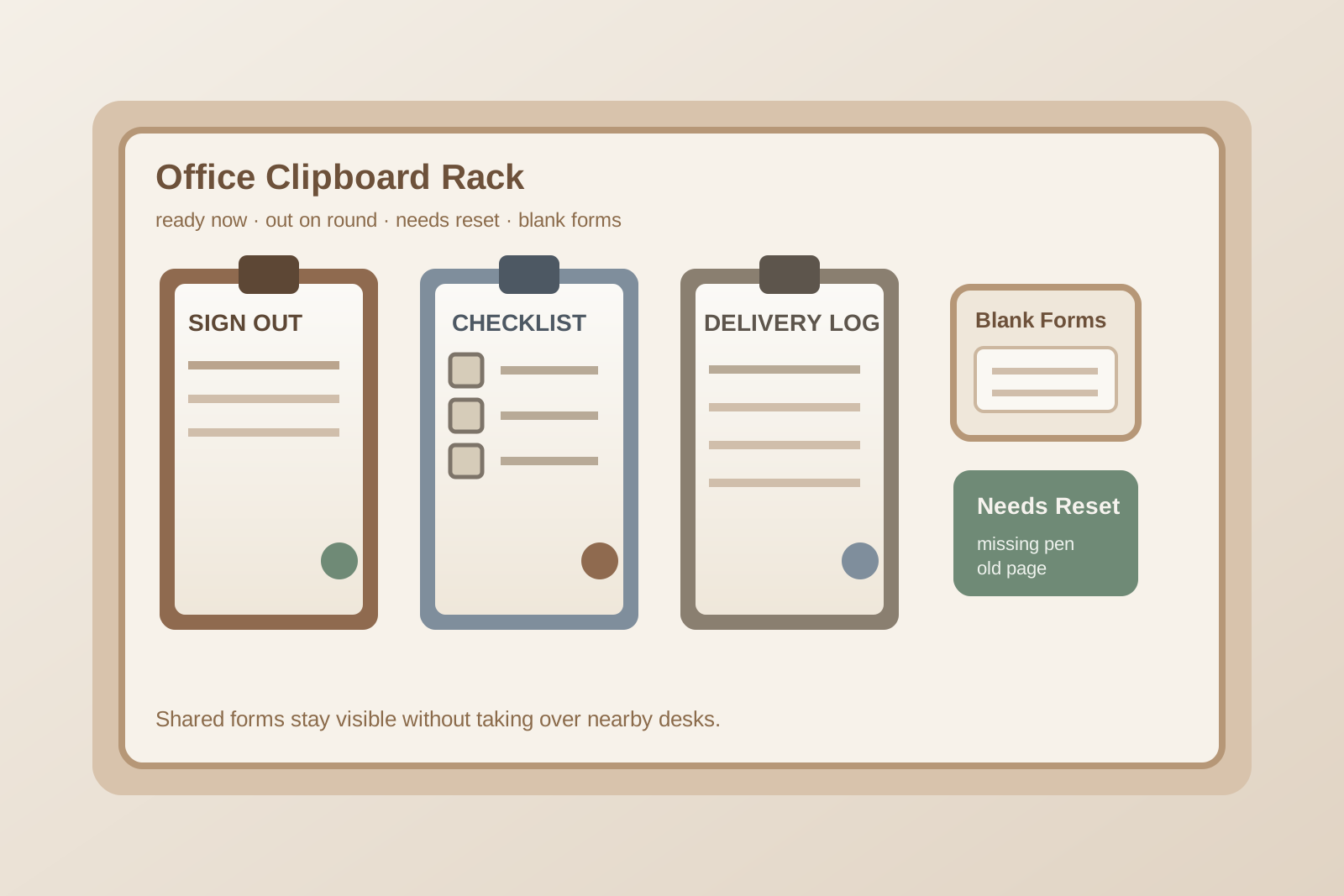
Office Clipboard Rack Organization for Sign-Out Sheets, Checklists, and Walk-Up Forms
A lot of office paper clutter does not start at a desk. It starts on one wall, one counter edge, or one hook where clipboards keep collecting because people need to grab them fast and return them later.
One clipboard is for visitor sign-out. Another carries a cleaning checklist or room check sheet. A third holds a delivery log, equipment inspection form, or daily opening list. They all need to stay visible, but they do not all need the same kind of access. Once blank forms, active clipboards, pens, and old pages start mixing together, the rack stops working like a quick grab point and starts acting like a paper traffic jam.
If you want to organize an office clipboard rack, the goal is not making a wall look tidier. The goal is making mobile paperwork easy to spot, easy to take, easy to return, and easy to reset without pushing the overflow onto the nearest desk.
Quick answer
An office clipboard rack usually works better when you:
- separate active clipboards from backup blank forms
- group clipboards by task speed rather than by department name alone
- keep pens attached without turning every board into a tangled string problem
- remove completed pages before they become part of the permanent stack
- give missing, damaged, or overloaded clipboards a review spot instead of leaving them in circulation
That usually helps more than adding another wall pocket while every paper state is still hanging in the same row.
Why clipboard racks become clutter magnets
Clipboard storage looks simple because the tools are flat, familiar, and easy to hang.
The mess builds because clipboards often represent moving work. A checklist is still in use. A sign-out form needs a fresh top page. A round sheet should come back by noon. A walk-up form gets clipped to the wrong board because it was the nearest hard surface. Someone borrows the only working pen. Another person hangs a board back with yesterday’s sheet still on top. Before long, the rack still looks full, but nobody trusts what is ready.
That is the real problem. A messy clipboard rack is not only visual clutter. It slows down recurring office tasks because people have to decode the rack before they can use it.
Organize by workflow state before paper type
It is tempting to label clipboards by form type alone: visitor log, delivery log, opening checklist, closing checklist, room check, safety walk, supply count.
That helps a little, but it does not solve the daily confusion. The more useful split is by current workflow state:
- Ready now: clipboards with the correct live form attached and a working pen nearby
- In use or expected back: boards temporarily out on rounds, check-ins, inspections, or room checks
- Needs reset: clipboards with completed pages, nearly full sheets, broken clips, or missing pens
- Blank form backup: refill pages stored close by, but not clipped onto every board at once
This makes the rack easier to scan in a few seconds. People can tell whether they can grab a board immediately, whether one is due back, and where unfinished maintenance belongs.
Keep the fastest tasks at eye level
Not every clipboard deserves the best spot.
The boards used many times a day should sit in the easiest reach zone. That often includes:
- sign-in or sign-out clipboards
- delivery or pickup logs
- opening and closing checklists
- room turnover sheets
- equipment or vehicle check boards that move in and out all day
Less frequent boards can sit lower, higher, or in a side section. If every clipboard gets identical placement, the rack becomes slower to read than the work actually requires.
Do not store blank forms on top of the live boards
A common mistake is clipping a thick stack of blank sheets behind the current page on every board.
That feels efficient at first, but it usually makes each clipboard heavier, more slippery, and harder to review. Old pages stay attached too long. People flip through multiple stale sheets to find the current one. Half-used forms wrinkle and drift. Pens snag on extra paper corners.
A better setup is to keep only the live page on the clipboard and store refill sheets in one clearly labeled backup pocket, tray, or file right beside the rack. That keeps the working boards lighter and makes outdated paperwork easier to remove.
Give pens a home without creating a tangle
Most clipboard racks do need pens nearby, but they do not need every pen tied to every board with a long string.
Long cords often create their own clutter. They wrap around the clip, snag neighboring boards, and make the whole rack look more chaotic than it is.
Usually the cleanest option is one of these:
- one shared pen cup or magnetic holder beside the rack for low-risk areas
- short attached pens only on the highest-use clipboards
- a small reserve of working pens in a staff-only backup spot
The goal is not anti-theft perfection. The goal is making a working pen easier to find than a broken one.
Create one reset step for completed paperwork
A clipboard rack stays tidy when finished pages leave quickly.
Without that rule, completed logs and checklists become visual residue. People assume a board is still active because the page is still attached. Then nobody wants to remove it in case it still matters.
Set one simple rule for the rack:
- when a sheet is complete, move it to the review, filing, or scan-back spot the same day
- if a clipboard is waiting on a new blank page, move it to the reset area instead of rehanging it in the ready row
- if a form changed version, pull the old copies before the next shift or next day starts
This keeps the rack from acting like a mini archive.
Use a review spot for problem boards
Every shared paper system needs one place for exceptions.
For a clipboard rack, that can be a small labeled shelf, tray, or hook for boards that are missing pages, have damaged clips, need a new pen, or came back with notes that still need to be filed.
That review spot matters because it keeps incomplete boards out of the ready row. Once broken or half-reset boards hang beside usable ones, people start guessing again.
Protect nearby desks from becoming clipboard overflow
A clipboard rack usually fails when the area around it becomes a second rack.
Maybe finished boards lean on a reception counter. Maybe extra forms land on a nearby printer stand. Maybe three clipboards sit on a side desk because nobody wanted to sort them yet. Once that spread starts, the rack is no longer the real system. It is just the part mounted on the wall.
If you want the workspace to stay calmer, decide what is allowed near the rack and what must move elsewhere. Usually that means the rack area can hold:
- live clipboards
- blank form backups
- one pen solution
- one problem-board review spot
Everything else should leave the zone.
A simple layout that works in many offices
A practical office clipboard rack might look like this:
Top or center row: ready now
Use this for the clipboards people reach for constantly. Keep labels short and readable.
Side marker or small sign: out on round
If a clipboard is expected back soon, mark that status instead of leaving an empty mystery hook.
Small lower section: needs reset
Use this for finished boards, missing-pen boards, and forms that need replacement.
Adjacent pocket or tray: blank forms
Keep clean refill sheets here, separated by form type if needed.
One small pen area
Keep it visible, stable, and limited.
When a clipboard rack needs fewer boards, not more storage
Sometimes the problem is not the setup. It is too many clipboards.
If multiple boards exist for forms that are rarely used, people stop knowing which ones matter. If old processes are still hanging there out of habit, the rack looks busier than the real workflow. If a digital system replaced half the paper but the old boards stayed up, the clutter becomes permanent by default.
A quick reset can help:
- remove duplicate boards that serve the same job
- retire forms that no longer belong on a live rack
- combine low-frequency tasks onto one reviewed board if that fits the workflow
- keep the rack limited to forms that truly need fast grab-and-return access
Final thought
The best office clipboard rack is not the one with the most labels. It is the one people can understand instantly.
If a board is ready, that should be obvious. If it is out in use, that should be obvious. If it needs a new page, a pen, or a quick fix, that should be obvious too. Once the rack reflects the real flow of mobile paperwork instead of pretending every clipboard is in the same state, the surrounding desks usually get quieter too.
If you want, TidySnap can help you turn a cluttered clipboard area into a simple visual system so recurring forms, checklists, and sign-out tasks stop drifting into the rest of your workspace.