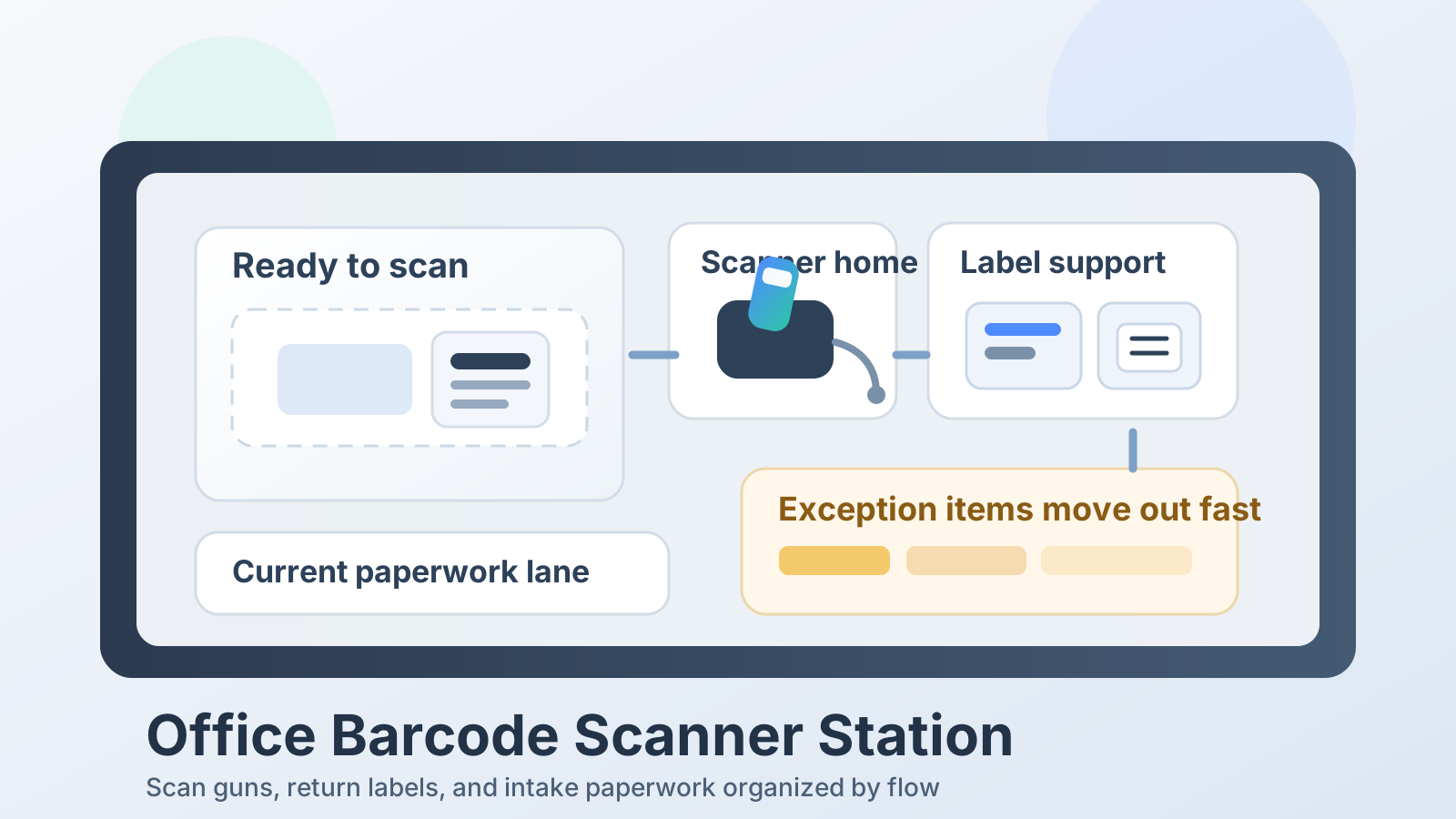
Office Barcode Scanner Station Organization for Scan Guns, Return Labels, and Intake Paperwork
A barcode scanner station usually gets messy because the scanner is doing two jobs at once.
It is a tool for one quick action, but it also becomes the place where uncertain items wait. A tote arrives without a clear label. A return needs one more scan before it can move. An intake sheet stays beside the scanner because someone still needs to confirm the code. A spare charger cable appears because the battery ran low once during a busy hour. Before long, the scanner is sitting in the middle of a mini holding zone instead of a clean scan point.
If you want to organize an office barcode scanner station, the goal is not making the scanner look tidy by itself. The goal is making it obvious what is ready to scan, what has already been confirmed, and what needs to leave the station for follow-up instead of camping there all day.
Quick answer
An office barcode scanner station works better when you split the area into four simple functions:
- ready-to-scan space for the item or paper currently being processed
- scanner home for the scan gun, cradle, or cable when it is not in your hand
- label and paperwork support for the next few scans only
- exception space for items with bad labels, missing codes, or follow-up questions that should leave the station quickly
That usually means keeping one open scan rectangle clear, parking the scanner in the same place every time, limiting loose label stock near the device, and refusing to let unresolved items pile up around the cradle.
Why barcode scanner stations get cluttered so quickly
A barcode scanner creates a very specific kind of office mess.
The scanner itself is small. The clutter comes from the stop-and-check behavior around it. Every scan can create a tiny decision:
- was the code accepted
- does the item need a new label
- is this the right paperwork
- does this belong in intake, return, pickup, or review
- is the scanner charged and ready for the next run
When those decisions do not have separate homes, they all collapse into the same few square feet.
That is why scanner clutter feels different from a general shipping station or a broad receiving counter. The real problem is not supplies spreading everywhere first. The real problem is status confusion piling up around one fast handoff tool.
Start by protecting one open scan rectangle
Most scanner stations work best when there is one small area reserved for the item being scanned right now.
That rectangle does not need to be large. It just needs to stay readable.
Use it for:
- the package, bin, badge, folder, or item currently being scanned
- one intake sheet or return label tied to that item
- the immediate hand motion for the scanner itself
Keep these items out of the scan rectangle:
- backup label rolls
- piles of already processed paperwork
- sticky notes from older exceptions
- chargers unrelated to the scanner
- random office tools that happened to land there
If the scan surface is already holding three old decisions, the next scan starts in confusion.
Give the scanner a true parked position
A scanner that never lands in the same place turns into visual clutter even when everything else is fairly organized.
The problem is not only misplacing the device. A floating scanner also pulls its support gear around with it. The cradle gets moved. The charging cable gets stretched across the counter. A cleaning cloth, spare battery, or replacement label sheet ends up parked wherever the scanner was last used.
A cleaner setup gives the scanner one true home:
- one cradle position
- one hook or dock if the scanner is handheld
- one cable route if it is wired
- one obvious resting direction so the handle does not block paperwork
The station feels calmer when the scanner stops acting temporary.
Separate current paperwork from leftover paperwork
Scanner stations attract paper because scanning often sits in the middle of another workflow.
There may be:
- intake forms waiting for confirmation
- return labels that need to be matched to one item
- packing slips that should move with the box
- sign-out sheets or tracking printouts that are only relevant for a moment
The clutter starts when current paperwork and finished paperwork look the same.
Keep one short-lived paper lane near the scanner for the job in progress only. Once the scan is confirmed, move the paper onward immediately:
- into the outgoing item
- into the intake batch
- into the file or record flow
- into the exception lane if something did not match
The scanner area should not become long-term paper parking.
Keep relabeling supplies close, but not inside the action zone
Many barcode stations get crowded because every label-related supply stays beside the scanner just in case.
That often means:
- extra return labels
- blank label stock
- tape or sleeves
- marker pens
- spare batteries
- charger bricks
Those items matter, but they do not all belong in the live scan path.
A better rule is to keep only the next few minutes of support near the device. The rest can live in a side drawer, nearby bin, or shallow support tray outside the scan rectangle.
That way the scanner station still feels ready without reading like a supply closet.
Create one visible exception lane
The fastest way to lose control of a barcode scanner station is to let unclear items stay mixed with normal ones.
A bad barcode, a duplicate label, a missing form, or an item that scanned into the wrong status should not stay in the same zone as clean, ready-to-process work.
Create one clearly separate exception lane for:
- unreadable or damaged codes
- items waiting for relabeling
- paperwork that does not match the scanned item
- returns or intake pieces that need a second check
- anything that needs another person to approve or correct it
The station should answer one question at a glance: what can be scanned right now? The exception lane keeps the answer readable.
Make the charging path boring
Wireless scanners often become clutter magnets because the charging routine is weak.
If the cradle is unstable, if the cable gets borrowed for another device, or if the battery swap process has no real home, staff start improvising. That improvisation creates visible drift fast.
A better default is:
- one permanent charging path
- no loose coil crossing the work surface
- no sharing the scanner charger with phones or tablets
- no backup battery floating beside unrelated tools
A scanner station should not create surprise battery decisions in the middle of intake work.
Organize by flow, not by object type alone
It is tempting to group everything by category: all labels together, all paperwork together, all devices together.
That sounds neat, but it can slow down the actual scan flow.
Most barcode stations work better when laid out by sequence:
- item arrives in the ready-to-scan spot
- scanner confirms the code
- one paper or label check happens if needed
- item moves onward or into the exception lane
- scanner returns to its home
That sequence keeps the station readable under pressure. The goal is not a beautiful still life of supplies. The goal is fewer pauses during repetitive handoff work.
Common mistakes that make scanner stations feel unreliable
A few habits cause repeat clutter even when the area gets cleaned often.
Treating the scanner cradle like spare counter space
If the dock area is flat, people will park notes, labels, and random tools there.
Leaving failed scans mixed with normal work
One bad code can sit in the middle of the station for hours and make every later item feel less clear.
Keeping too much label stock in reach
Preparedness is good. A wall of supplies around the scanner usually is not.
Moving the scanner home every day
If the cradle shifts, the whole support pattern shifts with it.
Letting paperwork stay because it feels temporary
Temporary paper is exactly what turns a scan point into a paper pile.
A simple layout that works for many offices
If you want a fast starting point, try this arrangement:
- center action area: one open scan rectangle
- dominant-hand side: scanner cradle or resting position
- narrow side lane: current label or intake sheet only
- rear or side support spot: one small set of relabeling supplies
- separate bin or tray: exception items needing review
That layout works because it keeps the scanner station focused on confirmation and movement, not storage.
Where TidySnap helps
Barcode scanner stations are easy to underestimate because the clutter is made of small, useful things. In a real photo, though, the pattern becomes obvious: too many labels in the live zone, too much old paperwork near the dock, or too many unresolved items pretending they are almost finished.
TidySnap helps you see that pattern quickly and turn it into a layout you can actually keep up with. Instead of guessing what should stay near the scanner, you can organize the station around the real flow of items, labels, and follow-up work in your office.
Final thought
A barcode scanner station does not need more room nearly as often as it needs fewer mixed signals.
Protect the scan rectangle, give the device one home, limit the support supplies in reach, and move exception items out of the live path fast. When the station clearly shows what is ready, what is done, and what needs review, the whole workspace feels easier to trust.