How to Organize Shared Office Headsets So the Charging Station Stays Ready for the Next Shift
A shared office headset station usually looks fine until the next person needs one fast.
One headset is hanging in the right slot, but the battery is nearly dead. Another came back with the wrong charging cable wrapped around it. A third is technically returned, but the ear pads still need a quick wipe and the USB dongle is missing. Someone leaves a sticky note saying a headset only works on one side, but the note gets buried under the next shift handoff.
That kind of clutter is not only about headphones and cables. It is a handoff problem.
If you want to organize shared office headsets, the goal is not only making the charging area look neater. The goal is making it obvious which headsets are ready now, which ones are still charging, which ones just came back, and which ones need follow-up before they go back into use.
Quick answer
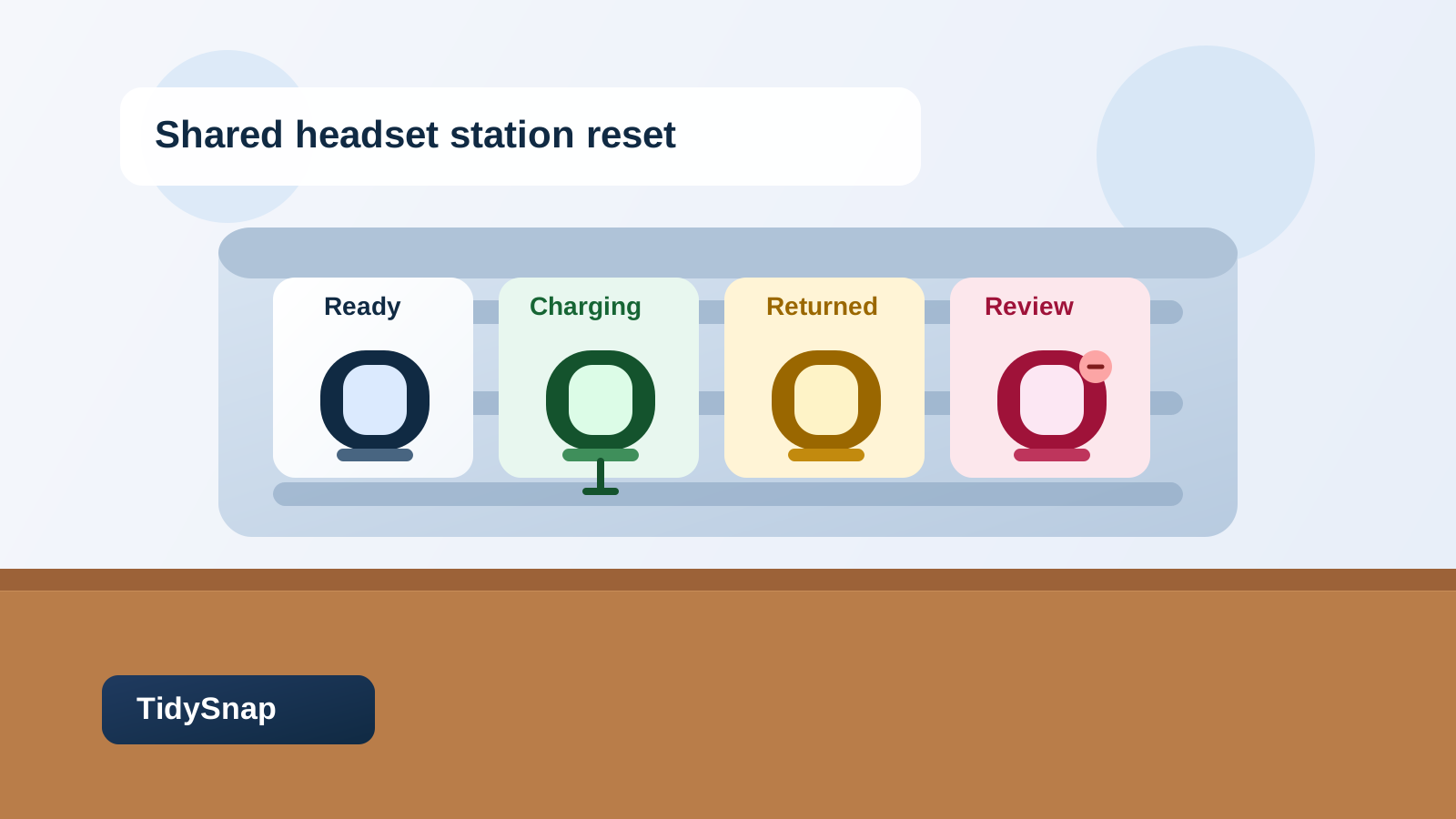
To organize shared office headsets, separate the station into clear status zones: ready, charging, returned, and needs review. Keep each headset paired with its own charger or dongle, stop returned sets from going straight back into the ready row, and make cleaning plus battery checks part of the return step instead of an afterthought. The station should tell the next person what they can grab immediately without testing every headset first.
Why shared headset stations get messy faster than personal desk setups
A personal headset stand usually supports one person’s habits.
A shared headset station has to survive different people, different shifts, and different return habits.
That usually means the same small shelf or charging area is trying to manage:
- headsets that are fully charged and ready now
- headsets that are plugged in but not yet ready
- headsets that were returned without being checked
- dongles, charging cables, or inline adapters that belong to only one unit
- sanitation supplies or wipe packets
- notes about damage, low battery, or missing pieces
When all of that lives together, the station starts looking stocked while feeling unreliable.
Organize the station by headset status first
A lot of offices organize shared equipment by object type alone. All the headsets go on one shelf. All the cables go in a bin. Cleaning supplies sit nearby. That seems tidy, but it does not answer the real question the next user has.
They want to know whether a headset is ready for the next call, training block, or support shift.
A more useful setup gives physical meaning to headset status:
| Zone | What belongs there | What stays out |
|---|---|---|
| Ready | fully charged, cleaned headsets with the right accessory set | fresh returns, damaged sets, loose spare cables |
| Charging | headsets actively charging in their assigned spots | random adapters, paperwork, backup stock |
| Returned | units just brought back and waiting for wipe-down or battery check | already-ready headsets |
| Needs review | missing dongles, bad batteries, damaged pads, one-ear audio issues | anything someone might mistake for available |
That layout works because the station stops relying on memory.
Do not let returned headsets go straight back into the ready row
This is where most shared headset stations lose control.
Someone hangs a used headset back where it came from because that feels efficient. But a headset that was returned is not automatically ready. It may need to charge, be wiped down, be matched with its dongle, or be checked for sound issues before the next person should take it.
Create one visible return step before any headset returns to the ready row.
That return step can be simple:
- place the headset in the returned zone
- check whether the right charger or dongle came back with it
- wipe the touch points if your office uses shared sanitation supplies
- confirm whether it is ready, needs charging, or needs review
- move it only into the correct next zone
That small pause prevents the station from lying to the next user.
Pair each headset with the right cable or dongle
Small accessories create most of the confusion.
A shared headset may depend on:
- a USB dongle
- a charging puck or USB cable
- an inline control cable
- a labeled storage hook or numbered slot
- a travel pouch or adapter in some offices
If those pieces drift into one shared pile, people start guessing. One dongle gets borrowed for another headset. The wrong charging cable stays connected because it fits well enough. A headset comes back missing the accessory that makes it actually usable.
The simplest fix is to make mismatches obvious.
That can mean:
- one numbered headset per numbered slot
- one labeled cable path per unit
- one small accessory pocket per headset group
- one rule that the dongle returns with the headset every time
You do not need an elaborate cabinet. You need a setup where the wrong pairing looks wrong immediately.
Keep the charging zone clean enough to read at a glance
A charging station becomes stressful when it looks busy even when it is technically organized.
That usually happens when:
- spare cables sit on top of active charging sets
- retired chargers stay plugged in just in case
- cable slack hangs across multiple slots
- backup adapters live in the same footprint as the daily charging gear
- the front edge of the shelf fills with unrelated call accessories
A better charging zone keeps only the live charging paths visible.
If a cable is not supporting one active headset, it should probably move to backup storage. If a charger is broken or no longer assigned, it should leave the station instead of staying in circulation by habit.
Separate cleaning supplies from ready-to-grab gear
Shared headsets are different from tablets or loaner laptops because they touch the body directly.
That means wipe-down supplies matter, but they should not flood the grab zone.
Keep sanitation items close enough to support returns, but not mixed into the row people scan for ready units. A wipe packet box, disposable covers, or a small cleaning kit should support the return workflow, not clutter the ready workflow.
That distinction matters because the cleanest-looking station is not always the most usable one. People should not have to move wipes, tissues, or extra pads just to grab one working headset.
Give problem headsets a review lane instead of leaving them in circulation
One unreliable headset can make the whole station harder to trust.
Maybe the microphone cuts out. Maybe one ear is too quiet. Maybe the battery dies halfway through a shift. Maybe the ear cushion is loose, or the headset came back without its dongle.
If that unit stays mixed into the charging row, the next person wastes time discovering the same problem again.
A small review lane fixes that.
Use it for headsets that are:
- missing an accessory
- waiting for a battery test
- reported as uncomfortable or damaged
- working inconsistently
- retired temporarily until someone checks them
The important thing is that a problem headset should look different from a normal charging headset.
Build around the handoff moment, not just storage
The real stress point in a shared headset station is usually the handoff.
That might happen:
- between shifts at a support desk
- between employees sharing hot desks
- between trainers and the next group
- between reception, call, or admin staff using the same gear pool
When the station is organized well, the next person should be able to walk up and know exactly what to do:
- grab from the ready row
- return to the returned row
- leave damaged sets in review
- ignore backup stock unless they are restocking the station
That matters more than making every headset line up perfectly.
Use a short reset at the end of each shift or busy block
Shared headset areas usually stay under control through short resets, not occasional deep cleanups.
A practical reset looks like this:
- move all fresh returns out of the ready row
- reconnect any headset that came back to the wrong cable
- move fully charged sets into ready
- move problem units into review with one clear note
- throw away outdated sticky notes or wrappers
- leave the front of the station showing only what the next shift can actually use
That reset can take a few minutes, but it prevents the next handoff from starting with guesswork.
A simple shared-headset layout that works
If you need a straightforward starting point, try this:
- top or front row: ready headsets only
- middle or side row: charging now
- small return tray or hook section: just returned
- small review lane: damaged, incomplete, or unclear sets
- backup drawer or cabinet: spare cables, extra pads, unopened supplies, retired accessories
That structure keeps the live layer small and readable.
Where TidySnap helps
A shared headset station is hard to improve from memory because each individual item seems justified. The extra cable looks useful. The sticky note feels temporary. The half-charged headset seems close enough to ready.
TidySnap helps you work from a real photo of the station so you can separate ready gear from return clutter, see where accessory drift is happening, and plan a station that supports faster handoffs instead of constant decoding.
Final thought
A shared office headset station should communicate trust.
When returned sets stop going straight back into circulation, cables and dongles stay matched, and only truly ready headsets sit in the grab row, the whole area gets easier to use. That is the real goal: not a prettier shelf, but a station that is ready for the next shift without making people test every headset first.