How to Organize an Office Badge Printer Station for Blank Cards, Rejects, and Ribbon Refills
A badge printer station usually gets messy because every step looks temporary.
Someone prints one visitor card and leaves the blank-card box open. A misprint gets set aside because the photo was wrong. A ribbon refill lands beside the printer because nobody wants to forget it. Cleaning cards, sample sleeves, spare clips, and old name lists collect in the same small area until the badge printer is technically available but annoying to use.
If you want to organize an office badge printer station, the goal is not building a fancier equipment corner. The goal is making badge jobs readable enough that people can print, check, reprint, and restock without turning the nearest counter into plastic-card overflow.
Quick answer
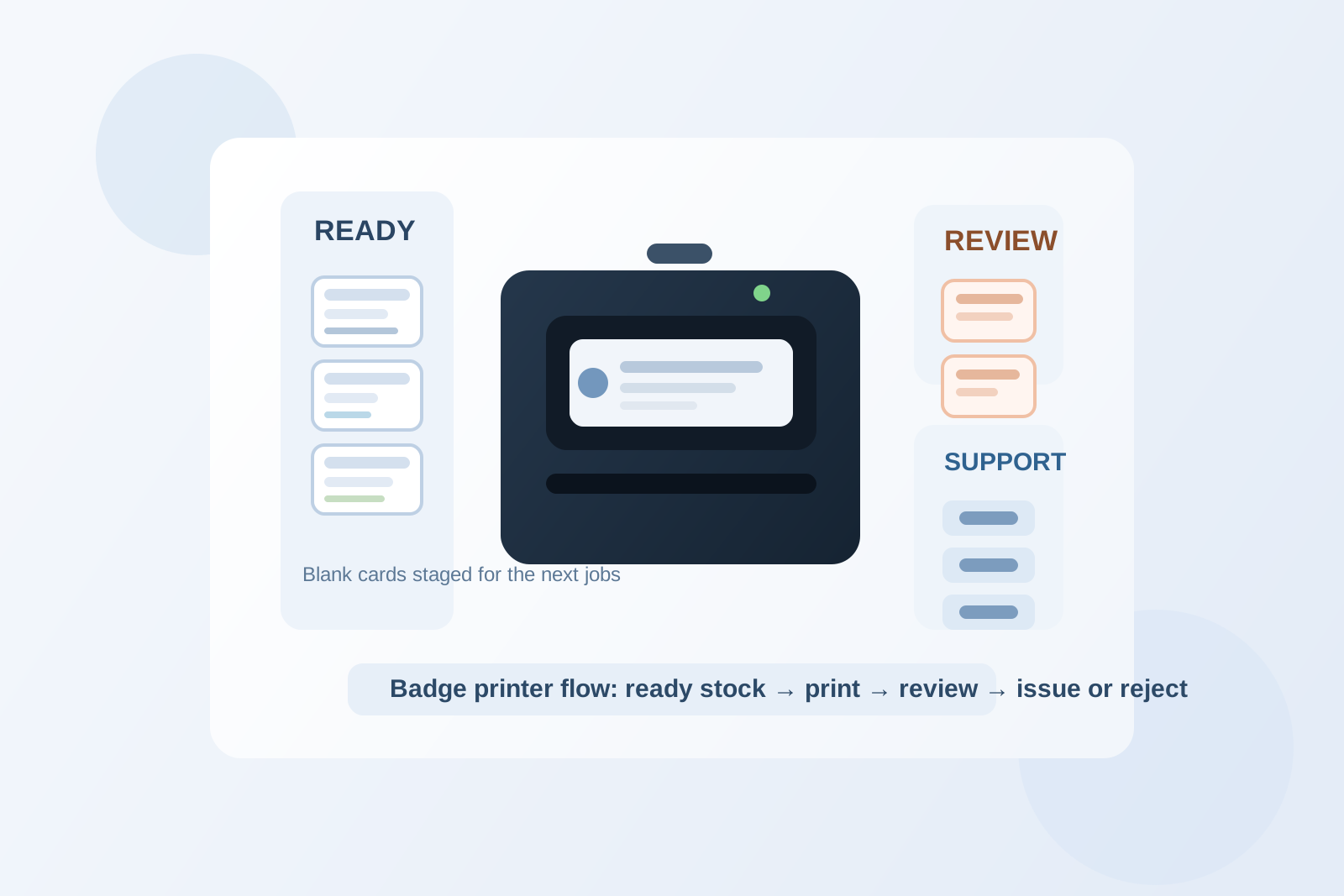
An office badge printer station works better when you separate live printing from supply storage and reject handling. Keep one clear print zone around the machine, give blank cards one protected ready lane, give rejected or unclear prints one short review lane, and move ribbon refills, cleaning items, sleeves, and clips into a tight support zone instead of scattering them around the printer. The station should answer what is ready to print now, what needs a reprint, and what is backup stock.
Why badge printer stations become clutter traps
Badge printing creates a different kind of office clutter than general reception or labeling work.
Most of the items are small. Many look similar. Several are easy to damage or mix up. A single station may be handling:
- blank printable cards
- newly printed badges waiting for a quick check
- rejected cards with wrong names, faded color, or bad alignment
- ribbon refills or film cartridges
- cleaning cards or cleaning kits
- badge sleeves, clips, or lanyards
- temporary notes about who needs a replacement or reprint
When those all sit in one visual layer, the next person cannot tell whether an item is usable, waiting, or waste. That is why the station feels chaotic even when the footprint is small.
Organize by print status, not by object type alone
A lot of offices keep all badge supplies together because they seem related. In practice, that makes simple jobs slower.
A better setup uses status first:
| Zone | What belongs there | What stays out |
|---|---|---|
| print zone | badge printer, the active input path, and one small check area for the next printed card | refill boxes, old rejects, extra clips, and unrelated paperwork |
| ready-card lane | blank cards you expect to use soon, kept protected and easy to count | damaged cards, sample cards, and open backup cartons |
| review lane | fresh prints needing a quick quality check or one reprint decision | confirmed good badges already handed off |
| support zone | ribbon refills, cleaning items, sleeves, clips, and one short instruction note | random reception tools, pens from other stations, and general office supplies |
| discard or hold lane | misprints, test cards, and unclear cards waiting for secure disposal or confirmation | usable blank stock |
This matters because badge printing is really a status workflow. People need to know what can go into the printer, what just came out, and what should not go back into circulation.
Protect the blank-card supply from casual counter clutter
Blank cards often create more friction than the printer itself.
If they sit in a half-open box beside the machine, they attract every other small item in the area. Then people rest sleeves, notes, or spare clips on top of the box, and the supply starts feeling messy even before the next print job begins.
Keep the ready-card lane simple:
- one small working quantity near the printer
- backup cartons stored just outside the live print surface
- no mixing of printable blanks with sample, damaged, or already encoded cards
- no open piles that invite people to set other items on top
The working stock should support the next few jobs, not become a second countertop.
Give rejected prints one defined decision point
Most badge-printer clutter comes from uncertain cards.
A card printed with the wrong name. A card with a poor photo. A test print that should not be handed out. A card that may need to be destroyed but is still sitting beside fresh blanks because nobody handled it right away.
That confusion is what makes the station feel risky.
Create one review lane for cards that are not clearly good. That lane can hold:
- misprints waiting for reprint confirmation
- cards with photo or alignment issues
- sample or test cards from setup changes
- questionable prints that need secure disposal
The rule should be simple: if a card is not ready to issue, it should not sit near ready stock.
Keep refills and cleaning tools close, but not in the print path
Badge printers often need support items that feel important enough to leave out all the time.
That includes ribbon refills, cleaning cards, cleaning swabs, sleeves, clips, or one small quick-start note. The problem is not having those items. The problem is letting them take over the live printing zone.
A tighter support zone works better. Keep support items close enough for a reprint or maintenance step, but far enough from the machine that they do not block loading, unloading, or checking a card.
If the ribbon box, cleaning kit, and spare clips all live on the same surface as the active output, people start stacking around the machine instead of using it cleanly.
Separate issue-ready badges from printer-side work
A badge printer station should not quietly turn into a badge issue station.
Once completed badges, lanyards, sign-in notes, and ready-to-hand-off materials stay beside the printer, the station starts doing two jobs badly:
- printing and checking cards
- staging badges for pickup or issue
Those are connected, but they are not the same moment.
When possible, move completed, confirmed badges to a separate handoff spot right away. That keeps the printer area focused on production, not pickup management.
Shrink the instruction layer
Badge stations often collect too many little reminders.
One note explains how to load cards. Another says which side faces up. Another lists cleaning steps. Another warns people not to use bent blanks. Another explains where to put rejects.
Even useful notes become clutter when they compete with the machine itself.
Keep one short instruction visible if needed, such as:
- load from ready-card lane
- check output in review lane
- move rejects to hold or disposal
- return support items to the side zone
Anything longer should live in a nearby admin guide, not on the printer surface.
Watch for the three most common badge-printer clutter patterns
1. Blank cards and bad prints start looking interchangeable
That usually means ready stock and reject stock have no visual separation.
2. Refill boxes stay open near the printer for days
That usually means backup stock has no proper support zone.
3. Completed badges pile up beside the output tray
That usually means the station is doing handoff work that belongs somewhere else.
A simple setup that works in most offices
If you want a practical default layout, try this:
- center: printer with just enough free space to load and unload cards
- one side: one protected ready-card lane for a small working supply of blanks
- other side: one short review lane for fresh prints and reprint decisions
- nearby but separate: one support zone for ribbon refills, cleaning tools, sleeves, and clips
- out of the main path: one discard or hold spot for misprints and unclear cards
That layout works because it matches the real workflow. Print. Check. Reprint if needed. Restock support items. Clear the rejects. Nothing has to linger on the main surface longer than one step.
Where TidySnap helps
Badge printer stations are easy to underestimate because they do not take much room. A real photo often shows the pattern immediately: blank cards mixed with bad prints, refill boxes living on the counter, and pickup-ready badges still sitting beside the machine. TidySnap can help you turn that one crowded badge-printing area into a clearer layout for ready stock, review items, support supplies, and secure discard decisions.
Final thought
The best-organized badge printer station does not look fully stocked. It looks easy to trust.
When blank cards are protected, rejects have one decision lane, and refills stop living in the machine’s working space, badge jobs move faster and the nearby counter stays usable for everything else. That is the real win: not a prettier equipment corner, but fewer tiny printing problems spreading into the rest of the office.