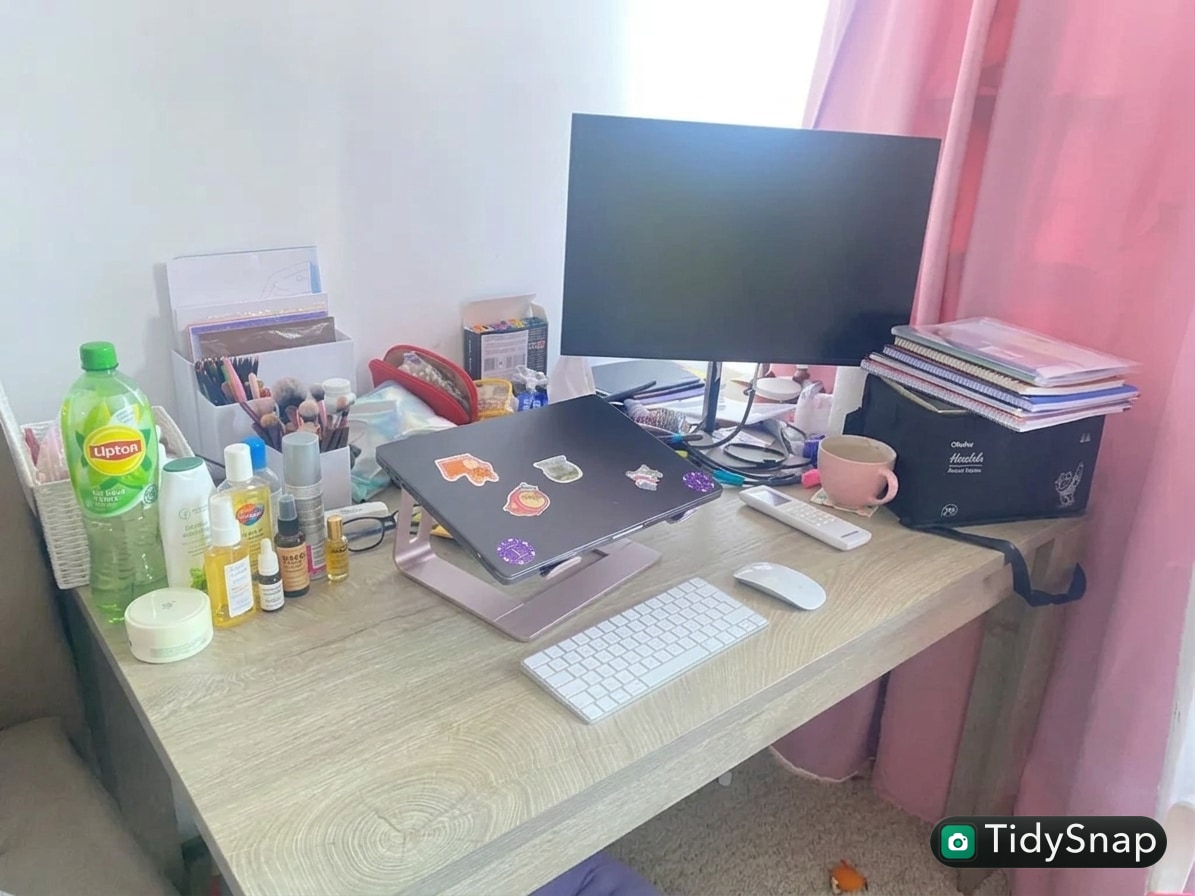
How to Organize an Office Admin Desk Without Letting Paper Creep Take Over
An office admin desk usually does not get messy in one dramatic moment.
It gets messy in layers.
A form needs signing. A file needs checking later. A notebook stays open. A charger gets left out. A stack of printed material lands on the side. Pens, sticky notes, receipts, labels, and office supplies start spreading around whatever surface still looks available. Before long, the desk is still usable, but it feels like every small task leaves a mark behind.
That is the real issue behind a lot of searches for how to organize your workspace. The problem is not only clutter. It is constant low-grade task residue.
TidySnap helps when the desk feels visually busy and you want a layout that matches the way you actually work. You can upload a photo of your real admin desk and turn general advice into a plan based on your monitor, trays, notebooks, supplies, and paper flow.
Quick Answer
If you want to organize an office admin desk, focus on these rules first:
- separate active paperwork from delayed paperwork
- keep office supplies in one contained area
- stop using open desk space as a decision queue
- protect one clean zone for computer and writing work
- give repeated task items a fixed home
- reset the desk before paper starts layering again
An admin desk feels cleaner when it handles workflow clearly, not when every item is hidden.
Why Admin Desks Fill Up So Quickly
Administrative work creates a lot of small physical artifacts.
That often includes:
- printouts
- forms
- signatures
- receipts
- labels
- notes from calls
- supplies for filing or processing
The messy feeling usually comes from mixing different stages of work on one surface.
For example:
- paperwork that needs action
- paperwork waiting for someone else
- paperwork that should already be filed
- office tools that are always nearby just in case
Once those layers mix together, the desk starts acting like a processing station and a storage station at the same time.
Protect a True Work Zone
An admin desk still needs one area that stays clear enough for focused work.
That work zone usually includes:
- keyboard and mouse
- one writing space
- one active notepad or notebook
- one document you are using right now
Everything else should support that zone, not invade it.
If the main work zone is always partially blocked, even a neat desk feels tiring.
Split Paper by Status, Not by Size
A lot of desks fail because paperwork is stacked by convenience instead of by next action.
A better system is to sort paper by status:
| Status | Meaning |
|---|---|
| now | needs action today |
| waiting | blocked or pending response |
| file | finished but not archived yet |
| reference | still useful but not active |
That is usually more effective than making neat piles with no meaning.
If you can see a paper stack but cannot tell what it is for, it is already causing friction.
Keep Supplies on One Side Only
Office supplies are useful, but they spread aggressively when the desk has no clear supply zone.
That includes:
- pens
- scissors
- clips
- labels
- stapler
- tape
- sticky notes
- stamps
Try keeping all supply items in one contained zone on one side of the desk. The point is not perfection. The point is to stop little tools from appearing in five separate clusters.
Reduce the Number of Open Surfaces
Admin desks often become clutter magnets because there are too many trays, shelves, corners, and open patches available.
When every surface is technically usable, none of them stays disciplined.
A better rule is to reduce how many surfaces are currently active:
- one active paper tray
- one waiting tray
- one supply area
- one clear work area
Everything else should either be stored, filed, or intentionally empty.
Watch the Side Pile Problem
Many admin desks look almost clean in the middle, but the side zones quietly get overloaded.
Common side-pile items include:
- forms to review later
- handouts
- personal items
- supplies with no fixed home
- chargers and adapters
Those side piles are dangerous because they feel temporary. In reality, they often become permanent clutter.
Use a Daily Closeout Rule
Administrative work creates new inputs all day. That means the desk usually needs a reset rhythm, not a once-a-month clean-up.
A simple closeout routine can be:
- remove anything that no longer needs desk space
- move all paper into now, waiting, or file
- return supplies to one zone
- close or stack notebooks
- leave tomorrow’s first task visible, and nothing else unnecessary
That one habit does more than buying more desk organizers.
Where TidySnap Helps
Admin desks are hard to fix from memory because the friction comes from layout, not just object count.
TidySnap helps you work from a real photo, so you can see:
- where paper is creeping across the surface
- which supplies need one shared home
- whether your trays are helping or just creating more edges
- what should stay visible versus what should move off the desk
That makes the reset more practical and much less abstract.
A 10-Minute Admin Desk Reset
If the desk already feels layered, try this:
- clear every loose paper into one temporary stack
- throw away obvious trash first
- separate paper into now, waiting, and file
- gather all supplies into one side zone
- clear the main keyboard-and-writing area
- leave only one active document visible
- put tomorrow’s first priority where you can see it fast
The goal is not a decorative desk. The goal is a desk where tasks are easier to read.
FAQ
How do I keep paper from taking over my desk again?
Do not let paper stay in undefined piles. Give it a status immediately: now, waiting, file, or reference.
What belongs on an office admin desk every day?
Your computer setup, one writing area, one small supply zone, and only the paperwork that is actually active.
Should I use more trays to organize an admin desk?
Only if each tray has a clear role. More trays without clearer decisions often create more clutter, not less.
Why does my desk look busy even after I tidy it?
Usually because supplies, paper stages, and side piles are still mixed together.
An office admin desk feels better when the workflow is visible and the overflow is controlled. That is what keeps paper creep from becoming your default layout.