How to Organize a Meeting Room Supply Cart for Markers, Adapters, and Fast Resets
Some offices do not have one perfectly equipped meeting room.
They have several rooms that all need to work, plus a rolling cart that quietly absorbs whatever people think might help. A few markers land there after a planning session. Someone adds an HDMI adapter because the last room did not have one. Wipes, sticky notes, spare batteries, and a half-used note pad get tossed onto the top shelf because the next meeting starts in ten minutes. Then the cart stops feeling like support and starts feeling like one more moving pile that nobody trusts.
If you are trying to improve meeting room organization, a supply cart solves a different problem than a credenza, a whiteboard ledge, or the room itself. A mobile cart is not the room. It is the support layer that follows the meeting workflow from setup to reset. The goal is making that support layer easy to read, easy to restock, and easy to roll into the right room without bringing random leftovers with it.
Quick answer
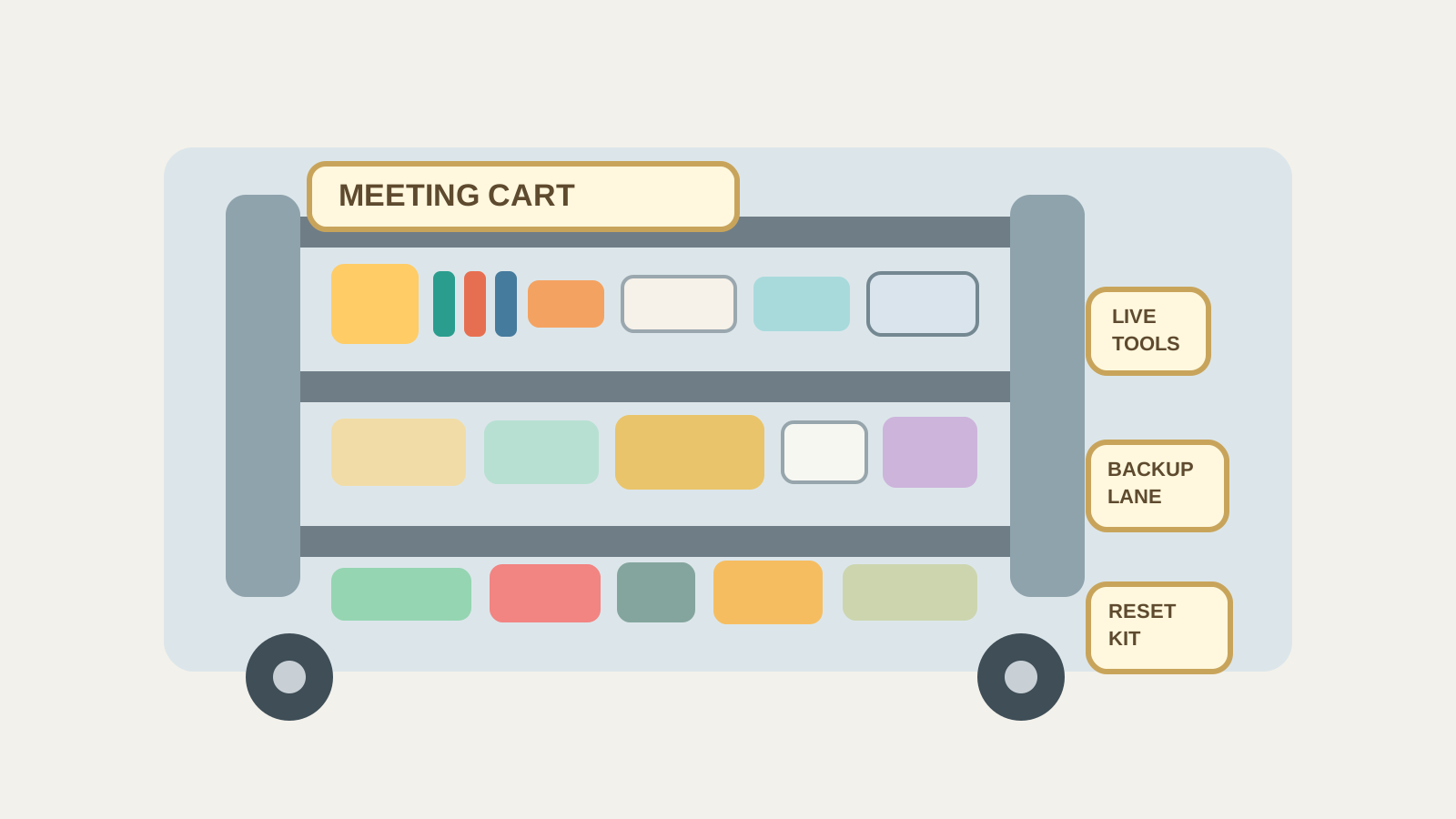
A meeting room supply cart works best when each shelf has one job: live meeting tools, quick backup items, and reset supplies. Keep the top shelf focused on what people may need during the meeting, give adapters and batteries a tested backup lane, and keep cleanup items separate so the cart helps the room recover instead of spreading more clutter.
In practice, that usually means:
- keeping only the most-used live meeting supplies on the top shelf
- separating current adapters from uncertain or outdated tech
- giving whiteboard tools, presentation tools, and cleanup items different zones
- storing only one believable backup per common problem instead of every spare you can find
- removing leftover handouts, random cables, and borrowed items at the end of the day
- restocking the cart based on what rooms actually need, not on what happened to fit there once
Why meeting room carts become messy so fast
A mobile cart touches several workflows at once.
It may support a team check-in in the morning, a client presentation before lunch, a training session in the afternoon, and a fast room reset before the day ends. Because the cart moves, people treat it like flexible space. Flexible space is helpful, but it also makes it easy for short-term items to become permanent residents.
That is how carts slowly fill with mixed-status supplies:
- markers that may still work
- adapters nobody has tested lately
- sticky note pads from an old workshop
- spare batteries with no label
- wipes or cloths mixed beside presentation gear
- printed agendas from the last room
- a cable that belongs to another team entirely
The clutter problem is not only quantity. It is mixed purpose.
When setup tools, presentation backups, and cleanup supplies all compete for the same shelf, the cart stops answering the question people have in the moment: Can I fix this room quickly without digging through everything?
Build the cart around the meeting timeline
The easiest way to organize a meeting room supply cart is to match it to the order people use it.
| Cart zone | What belongs there | What should stay out |
|---|---|---|
| top shelf: live meeting tools | current markers, one eraser, one tested adapter, one remote or clicker if shared, small note pad | bulk extras, dead batteries, leftover handouts |
| middle shelf: backup lane | one extra tested adapter, fresh batteries, spare markers, one backup cable, replacement eraser or cloth | retired tech, mystery dongles, unrelated office supplies |
| lower shelf: reset supplies | wipes, board cleaner, microfiber cloth, trash bag liners if the cart is used for resets, a small bin for room leftovers going elsewhere | live presentation gear and active handouts |
| side pocket or bin: review items | gear that needs testing, relabeling, reassignment, or removal | anything people need to trust during the next meeting |
This works because the cart stops being a general-purpose carrier and starts acting like a predictable support tool.
Keep the top shelf ready for the next five minutes, not every possible meeting
Many carts get overloaded because teams try to prepare for every scenario at once.
That usually leads to too many visible categories: several adapters, three packs of markers, extra sticky notes, unopened batteries, tissues, random chargers, and event leftovers all sharing the same top surface. The result is a cart that looks stocked but feels slow.
The top shelf should solve the next five minutes only.
That means it should hold the items people reach for during setup or during a small interruption:
- a working marker set
- one eraser
- one clearly chosen primary adapter
- one presentation remote only if the cart actually carries shared presentation gear
- one small note-taking item if teams regularly need it
If people have to sort through backup stock to find the live tools, the cart is carrying too much at eye level.
Separate tested backups from tech that only might work
Adapters create a special kind of clutter because each one once solved a real problem.
A USB-C dongle helped one presenter last month. An older HDMI adapter may still matter for a visitor. A spare cable seems useful because nobody wants the room to fail over one missing connector. The trouble starts when all of those items remain in the same lane.
A meeting cart should make one thing clear: what is ready now and what is only a maybe.
A practical rule is:
- keep one primary adapter in the live zone
- keep one tested backup in the backup lane
- move outdated, duplicate, or uncertain tech into the review bin immediately
That is enough for most offices. A cart that carries five similar adapters rarely feels more prepared. It usually feels harder to trust.
Do not mix whiteboard supplies with room reset supplies
Markers, cleaner, cloths, and wipes all feel meeting-related, but they do not support the same moment.
Whiteboard tools help people think during the meeting. Reset supplies help the room recover afterward. When both categories land in one tray, people start borrowing cleanup items during the meeting and leaving whiteboard tools buried under wipes and packaging after the meeting.
A cleaner split works better:
- live board tools near the top shelf
- extra board supplies in the backup lane
- cleanup supplies on the lower shelf
- no open cleaning products beside remotes, clickers, or active paper materials
That way the cart is easier to use while the meeting is live and easier to close out once the room is empty.
Give leftover room items a way off the cart
This is where a lot of carts quietly fail.
A room reset ends, and people place temporary leftovers on the cart because they are moving fast:
- printed agendas no one claimed
- one stray charging cable
- a visitor name tent
- tape, scissors, or supplies borrowed from another area
- a half-used snack sleeve that should never have been there
If the cart has no review bin or return lane, those items stay aboard and make the next room setup harder.
Keep one small labeled bin for items that need a decision later. That bin can hold things that should be returned, tested, or removed from meeting support entirely. The important part is keeping those items out of the live meeting shelves.
Restock by room pattern, not by category alone
If one room uses the whiteboard heavily, another room hosts video calls, and a third room is mostly for quick check-ins, the cart does not need equal quantities of everything.
A useful cart reflects the patterns your office actually has.
For example:
- heavy whiteboard rooms may need extra markers and board cleaner
- presentation rooms may need one more reliable adapter backup
- quick team rooms may need fewer supplies overall and a stronger reset kit
- training-heavy days may justify a temporary handout bundle that leaves the cart again afterward
That keeps the cart practical instead of turning it into a warehouse on wheels.
A fast reset that keeps the cart usable
A meeting room cart should not need a full reorganization every week. It needs a short reset that restores trust.
Try this closeout routine:
- return live markers, adapter, and remote to their exact homes
- move leftover handouts and borrowed items off the cart immediately
- place uncertain tech in the review bin instead of back with working tools
- restock only the items that fell below the cart’s normal support level
- clear the top shelf so the next meeting starts from visible open space
That reset matters because people judge the cart in seconds. If the top shelf already looks mixed, they assume something important is missing.
Where TidySnap helps
A meeting room supply cart often looks only mildly cluttered because the mess is spread across shelves instead of exploding in one pile. A photo makes the pattern easier to see: too many almost-useful tech items, active tools mixed with cleanup supplies, and no clear line between what is live, what is backup, and what should leave. TidySnap can help you look at the real cart and turn it into a simpler plan that supports faster meeting starts and cleaner resets.
FAQ
What should stay on a meeting room supply cart all the time?
Only the items that regularly help rooms start, recover, or reset: a small marker set, one eraser, a tested adapter, a few backup basics, and a compact cleanup kit.
Should a meeting room cart hold printed handouts?
Usually only for the current session. If handouts stay on the cart after the meeting ends, they quickly become visual clutter and confuse the next setup.
How many adapters should a meeting room cart carry?
Usually one primary adapter and one tested backup are enough. More than that often increases confusion instead of reducing risk.
Why does a rolling supply cart become unreliable so quickly?
Because people use it as flexible overflow. Without clear shelf roles, live tools, backup items, leftovers, and cleanup supplies all start looking equally important.
Final thought
A good meeting room supply cart does not try to carry every possible solution.
It carries the right support for setup, small fixes, and fast resets.
When live tools, tested backups, and cleanup items each have their own lane, the cart becomes easier to roll into any room without also rolling in yesterday’s clutter.