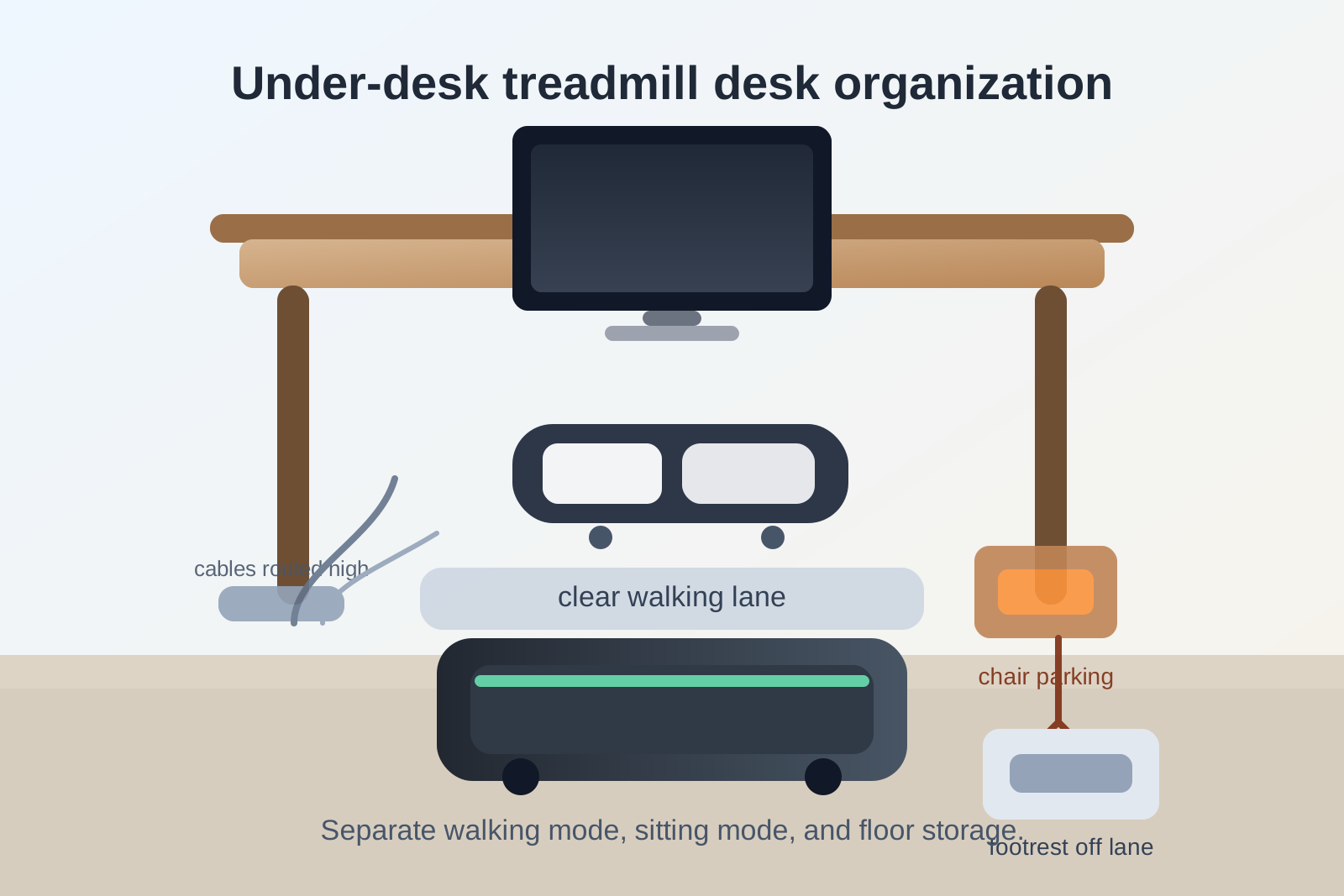
How to Organize a Desk With an Under-Desk Treadmill Without Making the Floor Zone Chaotic
An under-desk treadmill sounds like a small change until you try to live with it all week.
The walking pad needs space when you want to move. The chair needs that same space when you want to sit. Your footrest suddenly has nowhere to go. Charging cables that were fine before start hanging where your shoes brush them. A laptop power brick, tote bag, or spare pair of shoes that used to live under the desk now keeps getting pushed around every time you switch modes.
If you want to organize a desk with an under-desk treadmill, the goal is not only fitting the machine under the desk. The goal is making the floor zone readable enough that walking mode, sitting mode, and normal desk work can change over without creating one more daily mess.
Quick answer
To organize a desk with an under-desk treadmill, treat the area below the desk as a mode-switching zone instead of passive storage. Keep one clear travel lane for the treadmill, move chair parking and footrest parking to deliberate spots, keep charging bricks and loose cable slack off the walking path, and stop storing random items under the desk just because they technically fit there. The setup should make it obvious what stays in place while you walk, what gets moved for sitting, and what should not live in the floor zone at all.
Why treadmill desks get messy faster than normal desks
A normal desk gets cluttered when too many items stay on the surface.
A treadmill desk gets cluttered when the same patch of floor has to do two opposite jobs.
During the same day, the space below the desk may need to handle:
- a walking pad or under-desk treadmill
- a desk chair that rolls in and out
- a footrest or anti-fatigue mat
- power cables for the treadmill and your computer gear
- shoes, slippers, or a bag parked nearby
- anything that used to live under the desk before the treadmill arrived
That is why this setup feels chaotic so quickly. The problem is not simply that the treadmill is big. The problem is that it changes the rules for the entire floor area.
Start by choosing a real walking lane
The treadmill should have one defined lane under the desk, not a loose position that changes every day.
If it drifts left, right, or forward depending on the moment, you end up re-solving chair placement, cable clearance, and foot position every time you use it.
A better setup is:
- center the treadmill where your keyboard and monitor already support comfortable posture
- leave enough front and side clearance that your shoes do not catch hanging cables
- keep the lane free of bags, power bricks, and storage bins
- avoid using the treadmill lane as your backup parking area when you are sitting
If you have to shove three things aside before walking, the treadmill lane is not really organized yet.
Separate walking mode from sitting mode
Many treadmill desk setups feel messy because nothing has a defined place once you stop walking.
The chair rolls in halfway. The treadmill stays slightly crooked. The footrest gets kicked to one side. A mat overlaps the treadmill deck. Then the next time you want to walk, the whole floor area needs to be rearranged again.
Treat the workspace as having two valid modes:
| Mode | What should be ready | What should be out of the way |
|---|---|---|
| Walking mode | treadmill centered, desk controls reachable, one safe cable path, water and essentials above desk level | chair in its parking spot, footrest removed, loose floor storage gone |
| Sitting mode | chair centered, normal leg room, footrest if you use one, clear access to pedals or power | treadmill not blocking the chair path, mat not folded into the wheels, shoe clutter removed |
The important part is not owning more accessories. It is knowing where the non-active mode goes.
Give the chair a parking rule
A chair without a parking rule becomes part of the clutter.
Some people leave it pressed against one wall. Others let it float nearby, which usually turns into a wheel caught on a cable or an armrest clipped against the desk.
Pick one place the chair goes every time you switch to walking mode. That place should:
- stay out of the treadmill entry path
- avoid blocking drawers or nearby shelves
- keep the chair easy to bring back without dragging it around other gear
If the chair has to migrate around the room, the whole setup will feel temporary even when the desktop is tidy.
Stop using the under-desk area as storage overflow
This is where many workspace setups quietly fail.
Before the treadmill, the area under the desk may have been holding a backpack, extra shoes, a tissue box, a cable basket, or a stack of items waiting to be put away. Once a walking pad arrives, those things do not become harmless just because they still fit nearby.
Every extra floor item increases the chance that:
- you clip it with your shoe while walking
- you stop using the treadmill because setup takes too long
- you move the treadmill off-center and never reset it properly
- the chair path becomes awkward when you go back to sitting
If an item is not directly supporting walking mode or sitting mode, it probably needs a home outside the treadmill zone.
Keep treadmill power and desk cables out of your stride
Cable management matters more when your feet are involved.
A charging cable that looks fine next to a regular desk can become irritating fast when you are stepping near it for thirty minutes at a time.
Try these rules:
- route treadmill power along one outer edge instead of across the center floor lane
- lift laptop and monitor cable slack away from ankle height when possible
- keep power strips off the walking path entirely
- do not let temporary phone charging cables drop into the same zone as treadmill movement
The best under-desk treadmill setup is usually the one where your feet never have to think about cables at all.
Decide what happens to the footrest, mat, or shoes
Small support items often create more chaos than the treadmill itself.
A footrest is useful while sitting, but if it gets pushed to the side with no home, it becomes one more thing cluttering the walking lane. The same goes for slippers, an anti-fatigue mat, or a pair of shoes you only wear while walking.
Create one rule for each:
- Footrest: either it has a parking spot outside the treadmill lane or it should not stay under the desk full time.
- Mat: only keep it if it helps in a clear way and does not complicate switching modes.
- Shoes: keep one designated pair nearby only if you actually change into them; otherwise they become floor clutter disguised as intention.
If these items float freely, the treadmill setup will never feel settled.
Keep your desktop ready for motion, not just for sitting still
The treadmill changes more than the floor.
When people start walking while working, they often discover that desktop items were only organized for stillness. A mug sits too close to the keyboard. A notebook takes up the exact spot where the hands should rest more lightly. A dangling headset cable becomes more annoying because your body is moving.
A cleaner treadmill desk usually keeps:
- the center keyboard and mouse zone clear
- drinks and loose paper slightly farther from elbow range
- only active tools on the main surface during walking blocks
- heavier note-taking or paperwork tasks for sitting blocks when possible
You do not need a totally different desk layout for walking. You do need fewer fragile or drift-prone items in the active work lane.
Build a fast reset between modes
The goal is not perfection. The goal is a reset that takes less than a minute.
A simple treadmill-desk reset might look like this:
Before walking
- move the chair to its parking spot
- clear the treadmill lane
- check cables once
- move paper stacks and drinks away from the edge
Before sitting
- center the chair again
- return the footrest only if you use it
- make sure the treadmill is not blocking leg room
- remove any shoes or accessories that were only for walking mode
If switching modes feels slow or annoying, you will stop using the setup the way you intended.
Use TidySnap to plan the real floor zone
A treadmill desk is hard to organize from memory because the problem is spatial.
TidySnap helps you work from a real photo of your desk, floor zone, chair path, and walking pad so you can see what should stay, what should move, and what should leave the area entirely. That is especially useful when the clutter is not on the desktop alone, but in the transition between walking mode and sitting mode.
Final thought
An under-desk treadmill works best when it changes your work rhythm, not when it turns the floor into a permanent staging area.
If you keep one true walking lane, give the chair and footrest clear parking rules, and remove everything that does not belong in the mode switch, the setup starts feeling lighter very quickly. The desk does not need to look empty. It needs to stop making every walk session start with cleanup.