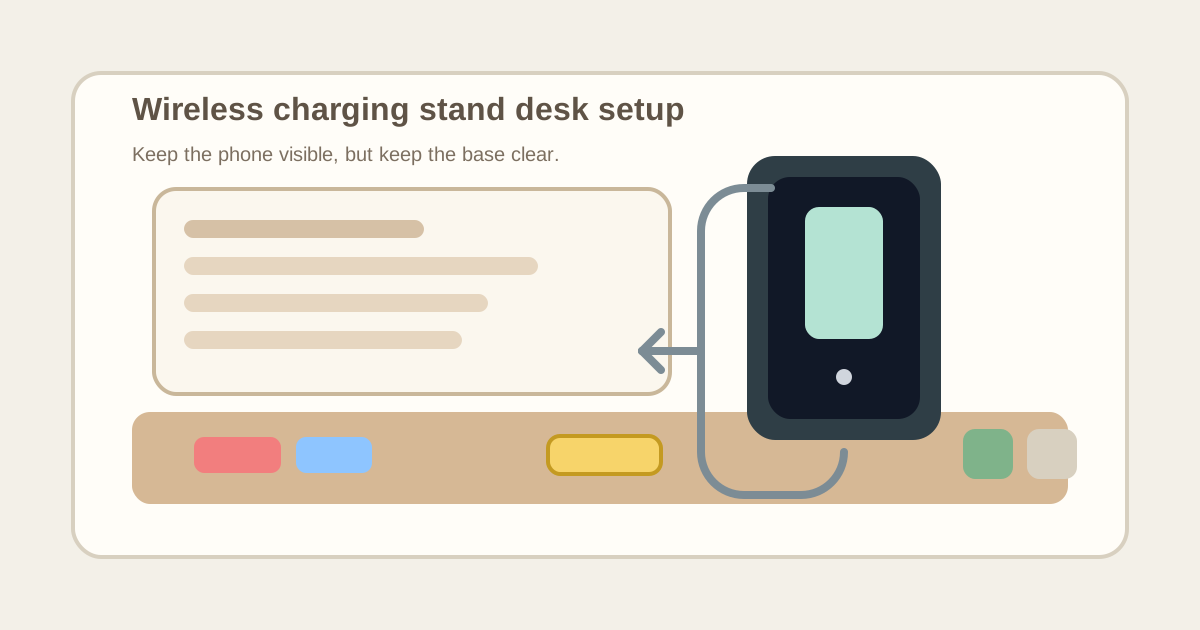
How to Organize a Desk With a Wireless Charging Stand Without Creating a Phone Parking Lot
A wireless charging stand looks cleaner than a loose cable, but it often creates a different kind of clutter.
Because the phone stays upright, visible, and easy to grab, the area around the stand starts attracting every small object that feels loosely connected to your phone. Earbuds land beside the base. A badge gets dropped there after a meeting. A backup cable stays nearby even though the stand already charges the phone. Soon the stand is no longer just a charger. It is the desk’s unofficial parking lot for little in-between items.
If you want to organize a desk with a wireless charging stand, the goal is not only to keep the phone powered. The goal is to make the stand useful for quick glance-and-charge access without letting that same convenience turn one edge of the workspace into permanent small-item buildup.
Quick answer
A desk with a wireless charging stand works better when the stand is treated as a phone viewing point, not a general charging corner.
That usually means:
- giving the stand one fixed side position instead of centering it
- keeping the base clear so the phone can dock without pushing other items around
- separating phone charging from earbuds, watch charging, and spare-cable storage
- protecting the nearby desk edge from badge, receipt, and note drift
- resetting the stand area back to phone-only status at the end of the day
That works better than adding another tray beside the stand while the same little objects still keep landing there first.
Why a charging stand gets messy faster than a charging pad
A wireless charging pad usually creates a flat drop zone.
A wireless charging stand creates a visible parking zone.
That difference matters because the upright phone starts behaving like part of the desk layout. People glance at notifications, set the phone down between tasks, pick it up for a code, put it back for a call, and start treating that side of the desk like a live communications corner. Then nearby clutter grows around the stand in a very specific way:
- earbuds that came out during a meeting
- a badge or key card used to get back into the building
- a spare charging cable that stays nearby “just in case”
- sticky notes with callback numbers or one-time codes
- receipts, access cards, or little paper scraps emptied from a pocket
- a watch charger or battery pack that seems close enough to belong there
The result is not exactly cable clutter and not exactly paper clutter. It is phone-adjacent drift.
Choose a side position, not a center-stage position
A wireless charging stand works best when it stays easy to see without sitting in the visual middle of the desk.
Good placement usually looks like:
- the back half of your non-mouse side
- just outside the main notebook or writing lane
- near permanent power routing instead of in front of it
- close enough for quick glance access without crossing the keyboard area
Bad placement usually looks like:
- directly in front of the monitor
- at the front corner where your wrist keeps hitting the base
- inside the mouse lane
- beside loose papers that need to slide across the desk
If the stand sits in the visual center, it quietly tells every nearby object, this is an active landing zone.
Let the stand do one job: hold the live phone
The cleanest charging-stand setups are strict about what the stand is for.
Its job is simple:
- hold the phone you actually use during the workday
- keep that phone readable at a glance
- keep charging predictable without another loose cable
What usually should not live in the same zone by default:
- earbuds cases
- smartwatches and watch pucks
- extra charging bricks
- pocket contents emptied at random
- meeting notes and reminder scraps
- backup adapters that belong to another device
A phone stand turns messy the moment it becomes the place for things that are only related because they happened to be in your hand when you touched the phone.
Keep the base area intentionally empty
The base of a charging stand is where clutter sneaks in.
The upright part looks dedicated, so people do not usually balance large things against it. Instead, small items gather around the base ring or front lip. That can make the setup feel crowded even when the rest of the desk is fairly calm.
Protect a small empty border around the stand base.
That empty border does three useful things:
- it makes docking the phone easy every time
- it shows immediately when unrelated items have drifted in
- it stops the stand from blending into a pile of small accessories
If the stand always has to be nudged aside to set the phone down properly, the problem is not the charger. The zone is doing too many jobs.
Separate notification access from accessory storage
A lot of people keep a charging stand because they want the phone visible for messages, timer checks, verification codes, delivery alerts, or calendar reminders.
That is a real workflow need. But it does not mean the same area should store every phone-related extra.
A better split looks like this:
| Item | Better home |
|---|---|
| everyday phone | charging stand |
| earbuds | small drawer, tray, or bag pocket |
| watch charger | separate nightstand or tech tray |
| spare charging cable | drawer or cable pouch |
| access badge | hook, wallet, or entry tray |
| battery pack | shelf or support bin |
This matters because the stand supports visibility, while most accessories only need storage.
Stop the stand from becoming your pocket-emptying zone
Charging stands often sit near the edge of a desk, especially in offices where people want to grab the phone quickly on the way to a meeting.
That makes the area dangerously convenient for temporary unloading.
Watch for these items first:
- ID badges
- coins
- keys
- gum packs
- folded receipts
- flash drives
- access cards
- little note scraps with numbers on them
None of those items helps the phone charge. They just collect there because the stand already makes that edge feel claimed.
If you keep emptying your pockets near the stand, give those items a different landing place entirely. The charging stand should not double as an entry tray.
Keep the cord path boring
One reason a charging stand can work well is that it reduces cable handling.
Do not ruin that benefit by turning the cord path into a second accessory zone.
The power line should feel permanent:
- routed along the back or side edge
- free of loops in the hand space
- not mixed with spare cables
- not draped across paper or notebooks
- not sharing the same tiny corner with unrelated adapters
If the stand needs constant cable adjustment, people start leaving even more gear nearby because the area already looks temporary.
Protect the work lane next to the stand
A charging stand is usually small, but the spill zone around it can get wide.
The desk starts losing usable surface when the stand area spreads into:
- your notebook opening space
- the side margin where current paper rests
- the corner where your drink usually sits safely
- the strip where your mouse hand moves during task switches
The stand should live beside work, not inside work.
If one glanceable phone has started shrinking the nearby work lane, the problem is not the phone itself. It is that the stand zone has absorbed too many other categories.
Use one fast reset after calls and meetings
Phone-stand clutter often builds after short interruptions.
You check a code during a login, drop the badge beside the base, remove one earbud before a meeting, jot a callback number on a scrap, and tell yourself you will clear it later. By the end of the day, later never came.
A quick reset helps:
- return the phone to the stand
- move badges, earbuds, and pocket items out immediately
- throw away one-time paper scraps
- leave only the phone and its fixed charging path visible
That reset takes less than a minute, but it prevents the stand from becoming a permanent little pile that keeps expanding.
A simple layout that usually works
If you want an easy default, try this:
- center: keyboard and main work lane
- mouse side: mouse plus open movement space
- non-mouse back corner: wireless charging stand for the phone
- off-surface or drawer: earbuds, spare cables, battery pack, and watch charger
- separate landing spot: badge, wallet, and pocket-emptying items
That layout works because the charging stand stays part of the desk system without becoming a side basket for every small object you touch during the day.
When the setup needs adjustment
Your charging-stand area probably needs a reset if:
- you often move two or three small items before docking the phone
- the base is partly hidden by receipts, badges, or adapters
- the phone area keeps collecting things even when the rest of the desk looks fine
- you are storing multiple device chargers beside the stand
- your notebook or mouse keeps crowding into the charging zone
Those signs usually mean the stand is supporting too many categories, not that you need a more expensive charging accessory.
Where TidySnap helps
If your phone-charging corner always looks manageable until it suddenly does not, TidySnap helps you spot the pattern faster.
Take one photo of the full desk and TidySnap can show whether the charging stand is sitting too close to your main work lane, collecting unrelated accessories, or acting like a pocket-dumping zone instead of a simple phone home. That makes it easier to fix the layout with one or two placement changes instead of reorganizing the whole workspace.
A wireless charging stand should make your desk easier to use, not create a tiny communications pile that quietly spreads across one side of it.