How to Organize a Desk With a Check Scanner Without Building a Deposit Pile
A check scanner usually looks too small to be the reason your desk feels crowded.
The problem is not the device by itself. The problem is everything that starts waiting around it.
One check is ready to deposit now. Another needs an endorsement. A printed remittance page stays nearby because you may need it again in ten minutes. A sticky note with a total sits beside the keyboard. A rejected item gets left out because it is not finished yet. Before long, the scanner corner is no longer a quick banking tool. It is a small deposit station that keeps spreading into the rest of your desk.
If you want to organize a desk with a check scanner, the goal is not hiding the scanner between uses. The goal is making deposit work easy to read so checks move from intake to scan to confirmation without leaving a paper trail behind.
Quick answer
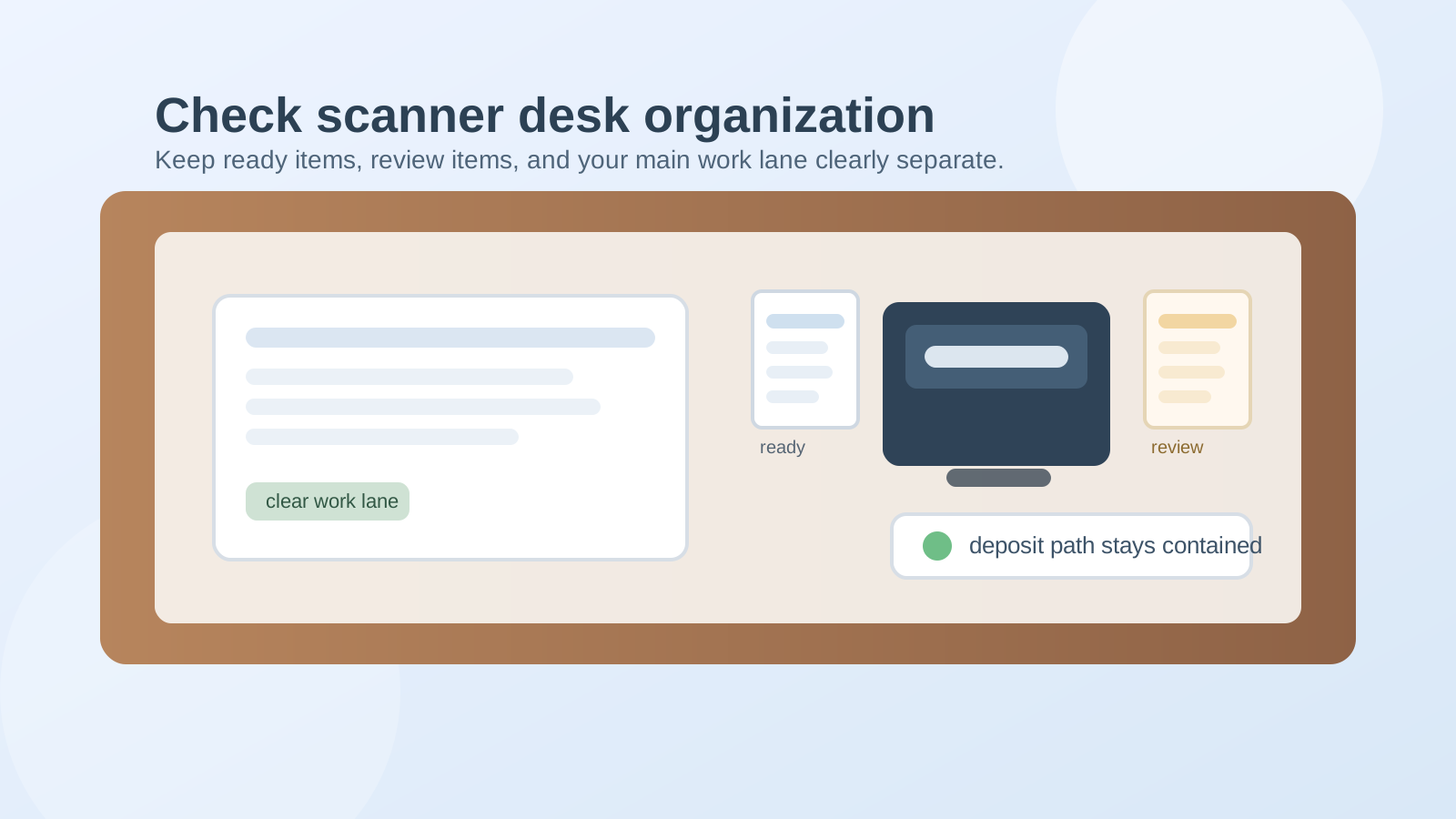
To organize a desk with a check scanner, keep the scanner in one fixed side lane, create a short deposit path for checks that are ready now, separate exception items from clean deposits, and move backup paperwork out of the scanner zone as soon as the batch is done. A check scanner works best when the desk makes it obvious what is ready to scan, what needs review, and what can leave the surface.
Why check scanner setups become clutter magnets
Check deposits create a specific kind of desk mess because several items feel active at the same time.
You may be handling:
- checks that are ready to scan
- checks that still need endorsement or a quick correction
- remittance pages or backup paperwork
- a running total or batch note
- one rejected item that needs to be rescanned
- envelopes or clips that belonged to the incoming stack
None of those items look large on their own. Together, they create a narrow workflow that keeps lingering after the actual scan takes only a few minutes.
That is why a check scanner can quietly claim more desk space than a bigger device. The clutter is not size-based. It is status-based.
Give the scanner one permanent lane
Do not let the scanner drift into the center of the desk every time deposits come in.
Pick one side lane for it instead. That lane should be close enough to reach easily, but far enough from your main keyboard and writing area that deposit work does not take over normal work by default.
For most desks, the best scanner position is:
- beside the monitor rather than directly in front of it
- near power and cable access so cords do not cross the center lane
- close to a small paper path, not beside a general catchall tray
When the scanner has a fixed home, the deposit workflow stays contained. When the scanner floats, the whole desk starts rearranging around it.
Create a short deposit path, not a paper pile
The easiest way to keep checks from spreading is to define only a few allowed states.
A simple setup looks like this:
- ready to scan
- needs review
- finished and confirmed
That is enough for most desks.
The mistake is letting every incoming check sit in one loose stack while you try to remember which ones are already endorsed, which ones were scanned, and which ones still need attention. Once that happens, the desk starts carrying memory for the process.
Instead, use one small in spot for ready items, one tight review spot for exceptions, and one out spot for completed items that are waiting to be filed or stored according to your usual process.
Keep endorsement and exception work separate from clean batches
Exception items create most of the visual drag.
One check that needs a second look can keep an entire deposit pile sitting on the desk longer than it should. A better setup is to keep problem items physically separate from clean items the moment you notice them.
Your review spot is where you place anything that is:
- missing endorsement
- unclear or mismatched with the backup page
- rejected by the scanner
- waiting for a number or confirmation
That way, the ready-to-scan lane stays trustworthy.
If everything stays in one pile, you have to re-read the same small stack every time you come back to it.
Do not let backup paperwork live beside the scanner
A scanner often attracts related papers that do not need to stay there.
Remittance pages, printed totals, batch notes, deposit instructions, paper clips, and return envelopes all feel connected to the task, so they tend to collect beside the device. The fix is to decide what must stay in reach during the batch and what should leave immediately after.
Usually, only three things deserve to stay in the active scanner lane during the work block:
- the checks being scanned now
- the one note or total sheet tied to that batch
- the scanner itself and its required cable or power setup
Everything else should either live in a nearby support drawer or move out once the deposit is confirmed.
Protect your main work lane from finance spillover
If you use the same desk for email, scheduling, admin work, or general office tasks, the center of the desk should not become temporary banking territory.
Try to keep these areas separate:
- center lane: keyboard, mouse, and the task you are doing most of the day
- scanner lane: deposit hardware and the current batch only
- support zone: clips, stamp, endorsement pen, or backup paperwork that you do not need in the middle
This matters because the scanner task is usually short, but the residue can stay all day if you let it overlap your normal work position.
Keep the tool cluster small and specific
Check-scanner clutter often grows from accessories more than the checks themselves.
You may need an endorsement pen, a note pad, clips, a calculator, or a reference list. That does not mean every related office supply should move into the scanner corner.
Keep the support tools limited to what you use almost every batch. If something only matters once a week or for edge cases, store it nearby instead of on display.
A small support cluster is easier to reset and much easier to trust.
Use a five-minute reset after each deposit block
A check scanner setup stays tidy when the finish line is clear.
At the end of a deposit block:
- remove finished checks from the desk
- move exception items to the review spot or next-action file
- throw away temporary notes you no longer need
- return loose clips, pens, or tools to the support zone
- clear the center lane before going back to other work
This short reset matters more than buying a new organizer. Most scanner clutter comes from half-finished endings, not from a lack of storage.
A simple desk layout that works
If you want a practical starting point, try this:
- scanner on the non-dominant side of the desk
- one small ready-to-scan tray or paper pad area beside it
- one narrow review spot for rejected or unclear items
- one compact tool cup or drawer section for endorsement tools
- main keyboard and writing lane kept clear in the center
That gives the scanner a real workflow without turning your whole desk into a mini bank counter.
Where TidySnap helps
If your check scanner area keeps turning back into a deposit pile, TidySnap can help you spot what is actually staying on the desk, group items by status, and build a simpler layout around the workflow you repeat most often.
The goal is not a perfect finance station. It is a desk where deposit work moves through cleanly and stops leaving unfinished paper behind.
Final thought
A check scanner should shorten a task, not create a permanent paper corner.
When you give deposits a small fixed path, separate exception items early, and protect the center of your desk from leftover batch clutter, the scanner becomes a useful tool again instead of a reason the whole workspace feels half-finished.