How to Organize a Desk for Photo Import Workflow Without Losing SD Cards and Backup Drives
Photo-import clutter does not usually start with editing.
It starts with a small handoff moment. You come back from a shoot, a site visit, an event, or a content day with cards, maybe a camera, maybe a reader, maybe one portable SSD, maybe two because one is the backup. You put everything down for a minute so you can start copying files. Then the desk fills up with half-finished steps. One SD card is already imported but not reformatted. Another still needs to be copied. A card reader stays plugged in. A drive rests near the keyboard because you still need to verify the backup. A sticky note with folder names or client names lands beside all of it.
The problem is not only that there is gear on the desk. The problem is that each item represents a different stage, and those stages are easy to mix up when the surface has no clear import flow.
If you want to organize a desk for photo import workflow, the goal is making the transfer path obvious enough that cards, drives, and notes do not stay spread out long after the files are safely copied.
Quick setup
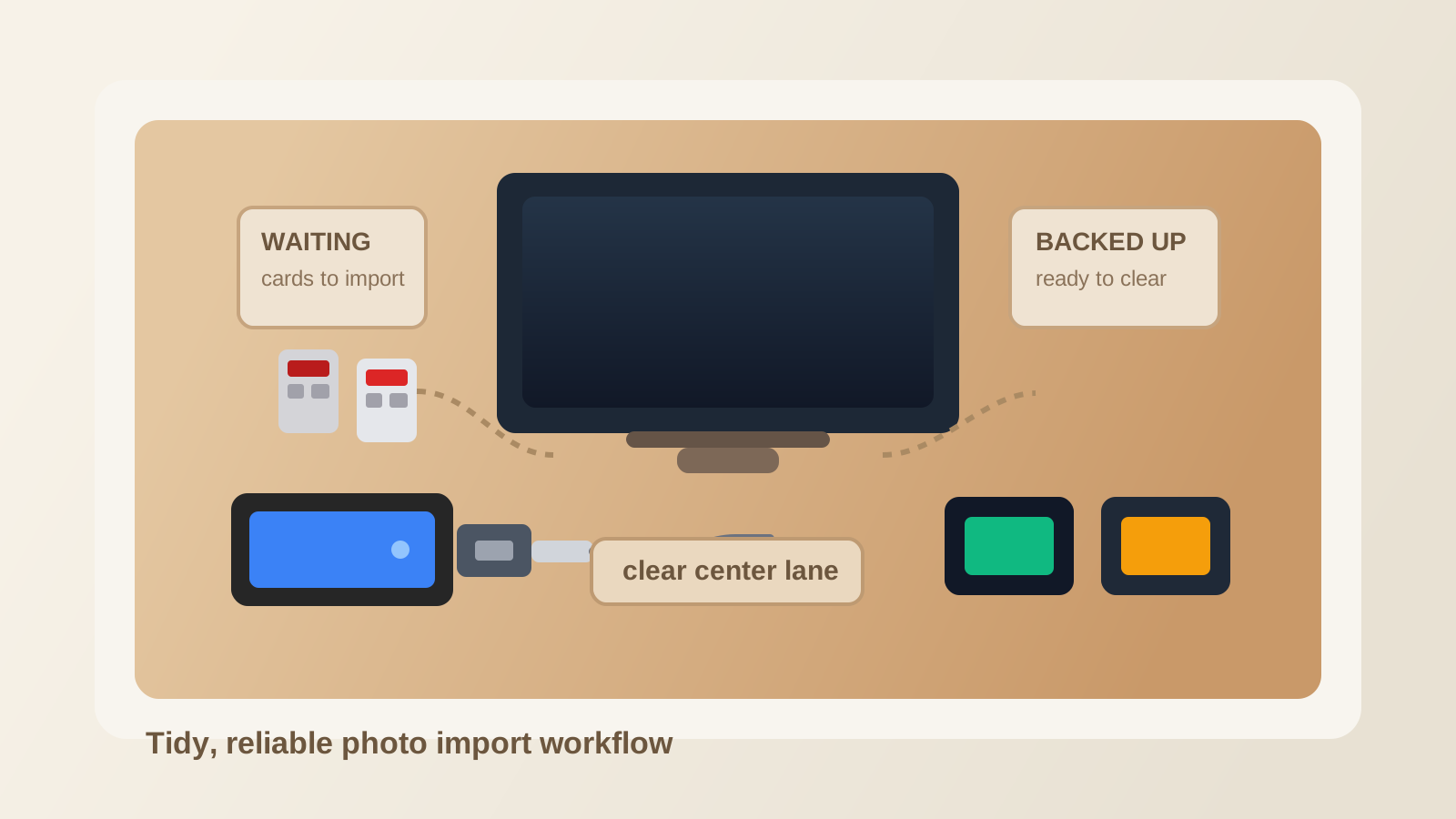
To organize a desk for photo import workflow, keep one short ingest lane for cards waiting to be copied, one active connection zone for the reader and current drive, one confirmed-backup spot for finished media, and one simple return routine so cards and backup drives leave the desk as soon as the import session is complete.
Why photo import creates a different kind of desk mess
A normal desk gets cluttered by objects.
A photo import desk gets cluttered by status confusion.
At one moment, several small items can all look almost identical while meaning very different things:
- card not copied yet
- card copied but not backed up
- card fully backed up and ready to return to case
- drive actively writing files
- drive holding the second copy
- notes that still matter until the files are renamed and sorted
That is why this setup feels risky as well as messy. When the workflow is unclear, you are not only fighting clutter. You are also creating more chances to misplace media or forget which step is done.
Build the desk around the import sequence, not around the devices
The easiest way to calm this kind of workspace is to arrange it in the order the job actually happens.
A simple import layout usually needs four states:
| Stage | What belongs there |
|---|---|
| waiting to import | filled cards, one short shoot note, maybe one camera battery if it helps identify the set |
| actively importing | one card reader, one current card, one live connection path, the destination computer |
| confirming backup | primary drive, backup drive if used, any verification note tied to that transfer |
| ready to clear | empty reader, returned cards, disconnected backup gear |
That sequence matters because it removes the guesswork from small objects. Instead of asking yourself what every card or drive means, you give each one a temporary role and place.
Keep cards in a controlled lane instead of letting them disappear into the tech pile
SD cards are easy to lose because they are both tiny and important.
They also tend to get mixed with unrelated small tech: adapters, USB sticks, earbuds, spare batteries, cable ends, and dongles that happened to be nearby. Once that happens, the desk stops supporting a photo workflow and starts acting like a general-purpose electronics tray.
A better default is to keep cards in one clear lane during import:
- cards still waiting stay together in one visible spot
- the active card is the only card at the reader
- finished cards go straight back to a case, sleeve, or clearly separate return spot
Do not let loose cards rest directly in the middle of the desk or beside a USB hub just because it feels convenient. Tiny convenience is how important media disappears.
Treat the card reader as a task tool, not a permanent desk resident
A card reader often creates more spread than people expect.
Once it is plugged in, it starts attracting other related items: adapter tips, second readers, cable extenders, spare cards, and a drive you may use next. Soon one desk edge becomes a semi-permanent ingest station, even on days when you are not importing anything.
If you import media every day, give the reader one fixed support-side home with a short cable path.
If you import only a few times a week, treat the reader like a deployable tool. It should come out fast, do its job, and leave the main desk surface when the transfer session ends.
That distinction keeps the desk from carrying the leftovers of a workflow that is not active.
Separate the active drive from the backup drive on purpose
Photo desks get messy fast when every drive is treated like the same object.
The drive receiving the current import has a different job from the drive holding a second copy. If both sit in the same loose cluster, you end up checking labels, tracing cables, and second-guessing what is safe to unplug.
Use a simple rule:
- the active destination drive gets the closest stable support spot
- the backup drive gets its own neighboring but distinct position
- finished drives leave the desk once the copy and verification steps are done
This is not about buying matching accessories. It is about reducing ambiguous gear. When the drives have different roles, their placement should make that visible.
Protect one non-media work lane
Import sessions expand because the media tools quietly claim the same area you need for normal thinking.
You still need room for:
- keyboard and mouse movement
- one notebook or shot list
- one temporary note about folder names, selects, or delivery needs
- normal hand space that is not blocked by a drive cable
If the cards, reader, and drives push into the center lane, the entire desk starts feeling like a transfer bench.
That makes it harder to keep working once the files are copied, because the surface never returns to a normal state.
Use one short note system and clear it with the import
Photo import often comes with handwritten context:
- client name
- shoot date
- card order
- selects to flag first
- folders still waiting on backup
Those notes are useful, but they should not become permanent paper clutter.
Keep them in one small place during the import block only. Once the files are named, backed up, and placed where they belong, either move the information into your digital system or discard the note. The desk should not keep carrying yesterday’s ingest instructions.
A practical reset after each import session
A good photo-import setup ends with a visible return to baseline.
Use this quick reset:
- disconnect the reader if the session is done
- return imported cards to their case or clearly marked next-use spot
- remove backup drives that no longer need to stay connected
- clear any handwritten transfer notes that are no longer active
- reopen the center lane so the desk works for regular computer tasks again
If the desk still looks like media is in progress, the workflow is not actually finished.
Where TidySnap helps
Photo import mess is easy to underestimate because every item looks temporarily justified. A real desk photo makes the pattern easier to see: the cards parked too close to unrelated tech, the drive cable crossing the notebook lane, or the backup gear that never leaves the desk after a transfer. TidySnap helps you turn that cluttered import area into a clearer sequence so the workspace supports reliable file handling instead of making every ingest session feel improvised.
FAQ
Where should SD cards sit during import?
Keep waiting cards in one visible lane, the active card at the reader, and finished cards in a separate return spot or case immediately after the transfer is confirmed.
Should external drives stay on the desk after the import is done?
Usually no. The drive for the active transfer can stay out during the session, but finished backup drives should leave the main surface once the copy and verification steps are complete.
What is the biggest desk mistake in a photo import workflow?
Mixing media by status. When imported, unimported, and backed-up cards all sit in the same area, the desk becomes both cluttered and unreliable.
Do I need a dedicated photo-editing desk to stay organized?
Not necessarily. Most people just need a repeatable import sequence, a protected work lane, and a clear habit for returning cards and drives once the ingest block ends.