How to Organize a Desk Drawer Without Turning It Into a Junk Catcher
A messy desk drawer creates a specific kind of frustration.
The desktop may look fine. The room may even feel organized. But the minute you need a charger, a highlighter, a stapler, or the notepad you use for quick calls, you open the drawer and hit a shallow pile of half-useful things that all slid together.
That is why drawer clutter feels different from surface clutter. It hides the problem until the exact moment you need speed.
If you want to organize your desk in a way that helps during real work, the drawer should not be treated like a place where everything disappears. It should work like a short-access support zone for the small items you reach for often enough to keep nearby but not visible all day.
Quick answer
To organize a desk drawer without turning it into a junk catcher:
- empty the drawer fully so hidden duplicates show up
- keep only small, useful items that truly deserve near-desk access
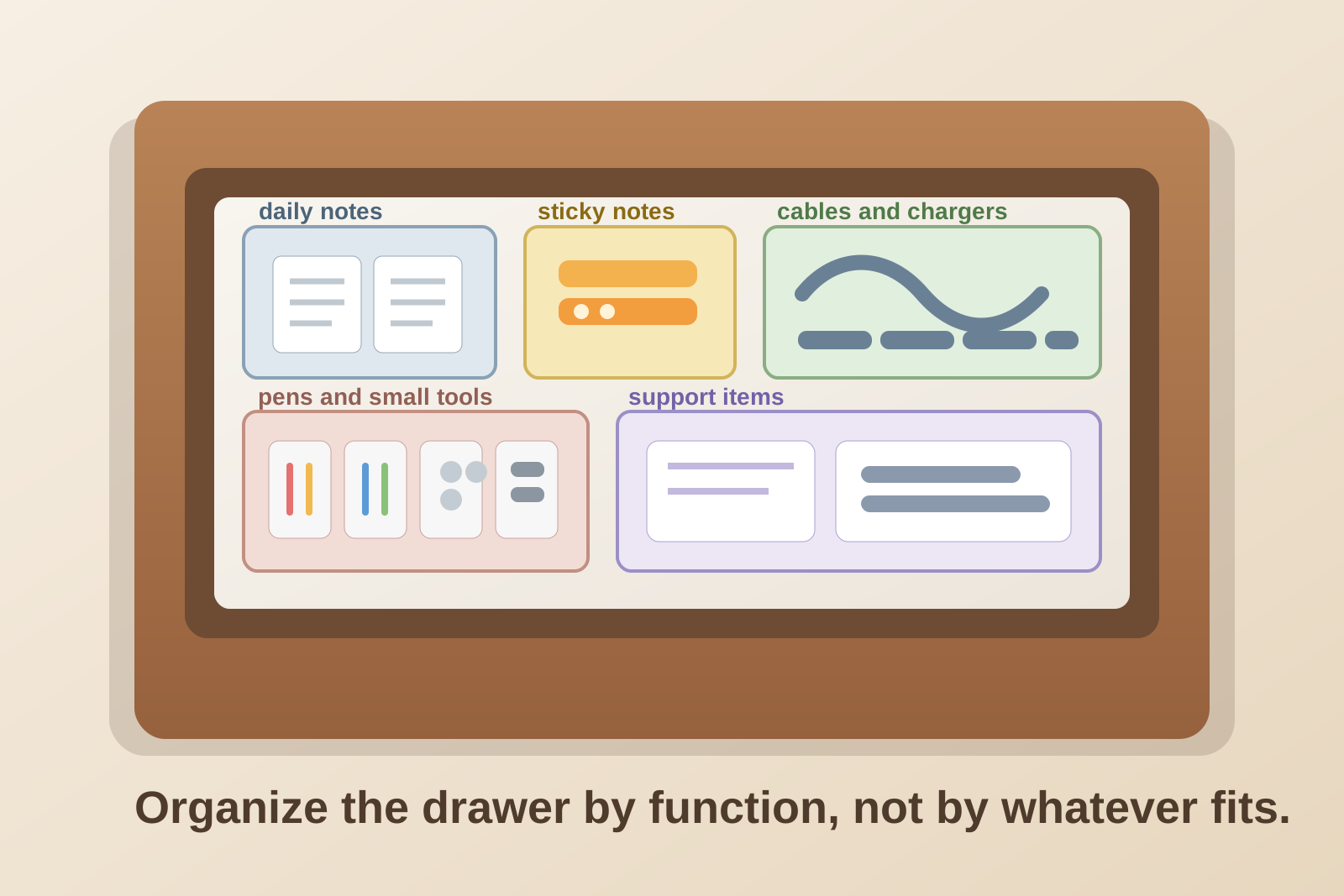
- divide the drawer by function, not by whatever fits first
- give loose cables, clips, and note supplies their own contained sections
- remove bulky backup stock that belongs on a shelf or in a cabinet
- keep one small open area instead of packing every inch
- reset the drawer before random leftovers can build a second layer
A drawer works best when it supports the desk, not when it becomes a hiding spot for delayed decisions.
Why desk drawers get messy so fast
A drawer feels private, so it collects all the objects that are hard to classify quickly.
A pen with some ink left. A charging adapter you might need later. A badge clip, a spare mouse battery, sticky notes from an old meeting, one envelope, a packet of paper clips, two thumb drives, and a pair of earbuds that may or may not still work.
None of those items sounds dramatic on its own. Together they create a drawer that looks full but does not actually help you find anything.
The problem is usually one of these:
- the drawer is storing both daily tools and backup stock
- small items have no boundaries, so they slide into one mixed layer
- dead or duplicate items never get removed
- paper scraps flatten across everything else
- the drawer is being used for “maybe later” storage instead of active support
The best rule: active, support, elsewhere
A simple three-part rule makes drawer organization much easier.
| Section | What belongs there | Examples |
|---|---|---|
| active | things you reach for during most workdays | one pen, one highlighter, sticky notes, earbuds |
| support | useful but not constant items | charger, stapler, clips, labels, spare mouse battery |
| elsewhere | bulky, duplicate, or low-use items | unopened office supplies, backup cables, old notebooks |
This matters because most desk drawers do not need more containers first. They need fewer categories competing for the same shallow space.
Step by step: how to organize a desk drawer
1. Empty the whole drawer onto the desk
Do not sort inside the drawer.
Pull everything out so you can see the duplicates, dead tools, broken clips, mystery adapters, and paper scraps that were invisible when they sat in layers.
Make four quick groups:
- daily-use drawer items
- useful but occasional support items
- move elsewhere
- trash or recycle
This first pass is usually where the drawer gets easier fast.
2. Decide what the drawer is actually for
A lot of drawers stay messy because they never had a job.
Pick one main purpose before things go back in. Common good uses include:
- small office tools for one desk
- quick note-taking and call supplies
- charging and adapter support items
- paper-light admin supplies
What usually fails is trying to make one drawer hold personal items, tech extras, archived notes, snacks, office supplies, and random overflow at the same time.
3. Give the front edge to the fastest-grab items
The easiest part of the drawer to use should hold the things you reach for without thinking.
Good front-row items usually include:
- your best pen
- one highlighter
- sticky notes or page flags
- earbuds or call headset accessory
- one small notepad
If you have to dig past old cables and loose clips to get to the one thing you use every day, the drawer is not organized yet.
4. Contain the drift categories
Some drawer categories always spread unless they get a boundary.
The biggest offenders are usually:
- cables and adapters
- clips, pins, and rubber bands
- sticky notes and labels
- batteries
- thumb drives or card readers
You do not need a fancy insert. Small boxes, shallow trays, or simple dividers work fine. The point is not perfection. The point is stopping one item type from sliding across the entire drawer.
5. Keep paper flat but limited
Desk drawers often become mini paper graves.
Receipts, sticky-note leftovers, meeting scraps, postage, and folded printouts all settle into the gaps between tools. Then the drawer stops opening smoothly and every object feels buried under thin layers of paper.
A better rule is:
- keep one notepad or one small stack of blank cards in the drawer
- keep action paper on the desk or in a visible tray
- move reference paper somewhere vertical
- throw out scraps that no longer point to a real task
If the main problem is paper volume, the drawer is the wrong place to solve it.
6. Move backup stock out of the drawer
A desk drawer should not be your office supply closet.
Take out things like:
- unopened pens
- spare notebooks you are not using yet
- extra charging bricks
- bulk sticky-note packs
- duplicate staplers or scissors
- old tech accessories you forgot to test
Those items belong on a nearby shelf, in a cabinet, or in a labeled supply bin. Once backup stock leaves, the drawer usually becomes much easier to scan.
7. Leave a little empty space on purpose
People often try to use every inch of drawer space because hidden storage feels valuable.
But a completely packed drawer is harder to maintain. Small objects catch on each other. Labels disappear. New clutter has nowhere to go except on top.
A little breathing room makes the drawer easier to use and easier to reset.
A simple desk-drawer layout that works
If you want a practical default layout, try this:
- front left: daily pen, highlighter, sticky notes
- front right: earbuds, charger, or call accessory
- middle section: clips, labels, small office tools in shallow containers
- back section: one stapler, one backup battery set, one compact cable pouch
- no-go zone: bulky extras, food, archived paper, mystery tech
That layout keeps the highest-frequency items closest while stopping the back of the drawer from becoming a forgotten storage trench.
Signs your drawer is doing the wrong job
1. You keep buying duplicates because you cannot find what you already have
That usually means the drawer is hiding inventory, not organizing it.
2. Paper is layered under the tools
Flat paper is one of the fastest ways to make a shallow drawer feel chaotic.
3. The drawer holds more backup stock than active tools
If most of the volume is unopened or rarely used, the drawer is acting like a storage bin.
4. You avoid opening it unless you absolutely have to
That is a strong sign the drawer is adding friction rather than saving time.
A two-minute weekly reset
Once a week, do a fast reset:
- throw out scraps and dead items
- return drifted tools to their section
- remove anything that belongs elsewhere now
- check for duplicates you do not need near your desk
- leave the front row ready for the next workday
This keeps one messy afternoon from turning back into a month of drawer buildup.
Where TidySnap can help
Desk drawers create hidden clutter, which makes them easy to ignore until the mess starts spreading onto the surface.
TidySnap can help you look at the whole workstation, not just the open desktop, so you can decide which small-item categories deserve drawer space, which ones should move nearby, and which ones are quietly making the desk harder to use.
FAQ
What should go in a desk drawer?
Usually small daily-use and support items: pens, sticky notes, one charger, clips, earbuds, labels, and a few compact office tools. Keep bulky supplies and backup stock elsewhere.
How do I stop my desk drawer from becoming a junk drawer?
Give the drawer one job, contain the categories that slide around, remove duplicates often, and avoid storing “maybe later” items there.
Should I store papers in my desk drawer?
Only a very limited amount, like one notepad or a few blank cards. Active paper and reference paper usually work better in visible or vertical storage.
How often should I reorganize a desk drawer?
A short weekly reset is usually enough. The goal is not a full reorganization every time. It is catching drift before it becomes a hidden pile again.
Final thought
A good desk drawer does not hold everything that failed to fit somewhere else.
It gives your workspace a quiet support layer for the small things that matter, without making every quick task start with a search.