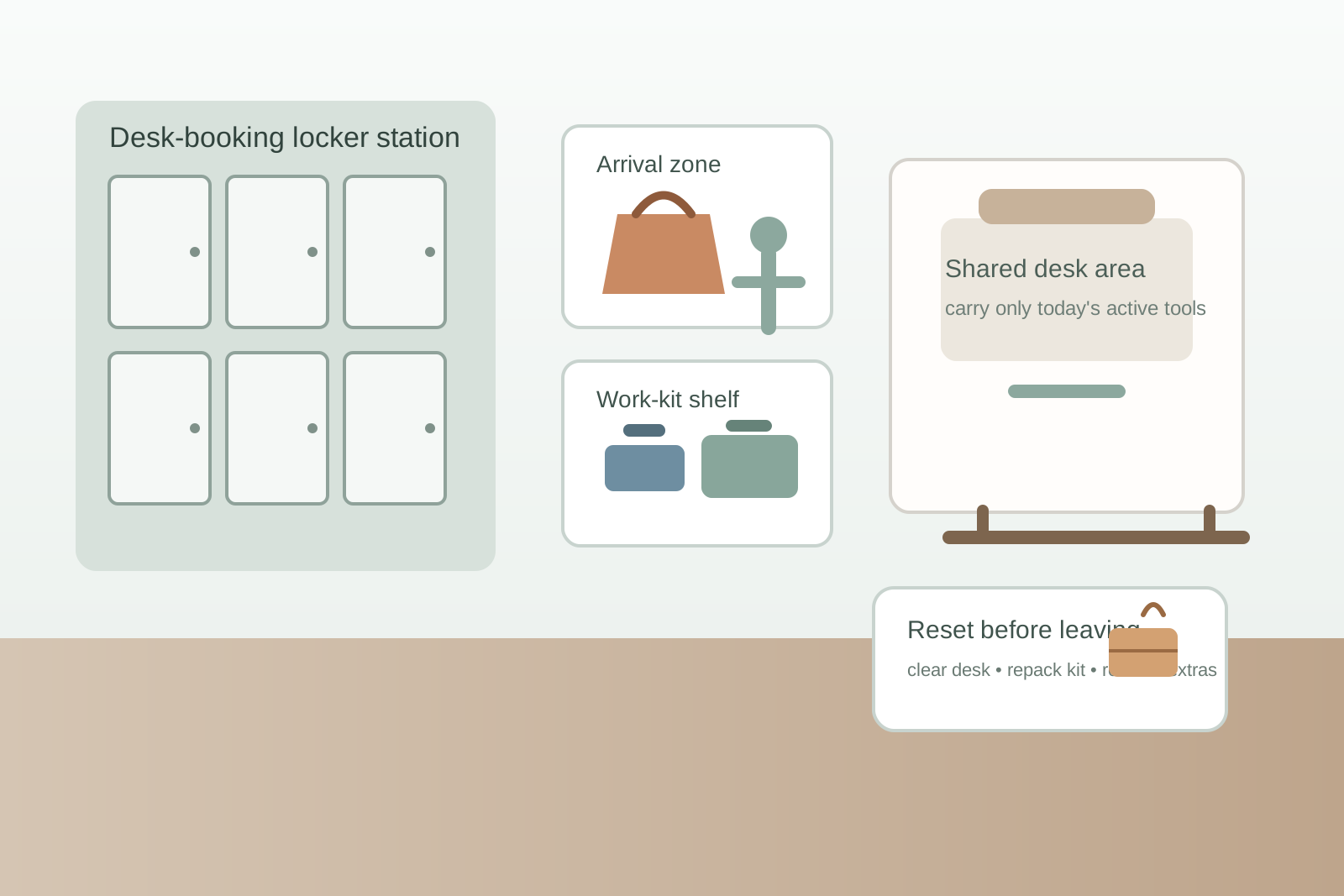
How to Organize a Desk-Booking Locker Station for Hot-Desk Teams
A hot-desk office can feel messy before anyone even opens a laptop.
Someone arrives with a backpack, lunch bag, headphones, and a charger they do not want to lose. Another person claims a desk but leaves their coat over the chair because the nearest locker is already half-full of mystery items. A badge gets set beside the keyboard. A water bottle lands on the only open shelf. By mid-morning, the desks are not overloaded because people brought too much. They are overloaded because the office never gave arrival items a clean first stop.
If you are trying to organize a desk-booking locker station, the goal is not only making the storage wall look tidier. The goal is making it easy for people to arrive, park personal items, pull out only what they need, and reset quickly when they leave. When that flow is missing, clutter spreads out from the locker area to every shared desk nearby.
Quick answer
A desk-booking locker station usually works better when it supports three short moments clearly: arrival, active desk setup, and end-of-day return.
In practice, that usually means:
- one obvious drop point for bags, coats, and personal extras
- one small grab zone for daily work kits like laptop sleeves, notebooks, and headsets
- one clean rule for what should never stay at the desk overnight
- one return step so lockers do not become long-term junk storage
- one reset habit that makes the next hot-desk day easier to start
That does more for a shared office than adding more bins without deciding what the locker station is supposed to help people do.
Why hot-desk lockers still lead to desk clutter
A lot of offices assume that once lockers exist, the storage problem is solved.
Usually it is not.
The real issue is that the locker area often works like parking, not like workflow. People can put things somewhere, but the setup does not help them decide:
- what should stay in the locker
- what should come to the desk
- what belongs in a daily work kit
- what needs to go home again
- what should be removed at the end of the day instead of abandoned for later
When those decisions stay fuzzy, people do what is fastest in the moment. They carry extra items to the desk just in case. They leave a sweater on the chair. They keep spare chargers visible. They use the nearest shelf as a temporary pocket for anything that does not fit the first time.
That is how a desk-booking office starts feeling scattered even when it technically has storage.
Organize the station around arrival, not around locker numbers alone
Many locker stations are set up as a wall of identical compartments and a sign-in tool nearby.
That can be fine for security, but it does not automatically make the space usable.
A better setup gives the station a few clear meanings:
| Zone | What belongs there | What should stay out |
|---|---|---|
| arrival zone | bags, coats, lunch totes, umbrellas, personal extras | live desk materials and office supplies |
| work-kit zone | laptop sleeves, notebooks, headset pouches, one daily tool kit | bulky personal storage and abandoned overflow |
| short-stay shelf | items people need during the day but not on the desk all the time | permanent stash items |
| reset zone | anything that must go home, be emptied, or be removed before tomorrow | items pretending to be temporary for a week |
This matters because people are not asking the station, “Which locker is mine?”
They are really asking, “What do I do with this stuff so my desk does not become storage?”
Separate personal parking from active work setup
One reason hot-desk environments feel chaotic is that personal gear and work gear arrive together.
A backpack carries both. So does a tote bag. So does a laptop sleeve with extra chargers, snacks, badges, and receipts tucked into the same pocket.
If everything comes to the desk first, the desk becomes the sorting surface.
That is the part to avoid.
A stronger rule is simple:
- personal parking happens at the locker station
- active setup happens at the desk
- backup items stay off the desk unless they are needed today
That usually means coats, lunch bags, backup shoes, umbrellas, and extra layers should stop at the locker area. The desk should only receive the tools that support the current block of work.
Build one standard daily work kit
The easiest way to keep locker stations from overflowing into nearby desks is to shrink what travels to the desk.
For most people, a daily work kit is enough.
That kit might include:
- laptop
- charger or one short cable
- headphones or headset
- notebook or task pad
- one pen
- badge or security key
- one adapter if truly needed
Everything else should have to earn its way onto the desk.
That matters because hot-desk clutter often starts as backup clutter. People keep three “maybe” items visible because the office has no shared rule for what a normal daily setup looks like.
Give people a middle place between locker and desk
Some offices have only two choices: leave it in the locker or carry it to the desk.
That can be too rigid.
A better station often includes one small middle place for items that matter during the day but do not need to sit beside the keyboard the whole time.
That might include:
- a laptop sleeve once the computer is out
- a headset case during in-person work blocks
- a notebook used only for one meeting later
- a light sweater that will come back out in the afternoon
This short-stay shelf or cubby matters because it keeps the desk from becoming an in-between holding area.
Keep chargers and extras from multiplying at every desk
Shared offices often lose control because people start building duplicate setups.
One charger stays in the locker. Another lives at the desk. A third is borrowed from a meeting room and never returned. Someone leaves a mouse on a shared desk because it is easier than packing it up, and then the next person is not sure whether it is office equipment or personal gear.
If that sounds familiar, the fix is usually not more labels. It is fewer default desk leftovers.
Try these rules:
- personal accessories return to the work kit or locker at the end of the day
- shared accessories have one office-owned home separate from personal lockers
- extra cables do not live loose on the desk surface
- anything left behind without a clear owner goes to one review spot, not the nearest empty shelf
Make the desk-booking station answer one question fast
The best shared-office systems answer the same question quickly every day:
What should I carry to the desk right now, and what should stay here?
If people have to improvise that answer each morning, the station is creating friction even if it looks neat.
Clear signage can help, but the physical setup matters more. A bag hook suggests parking. A narrow shelf suggests short-stay items. A labeled reset bin signals that something should leave today instead of becoming tomorrow’s clutter.
Use a return-and-reset step before people leave
Hot-desk systems break down when the office treats departure as an afterthought.
The end of the day is when clutter either gets absorbed back into the system or stays loose for tomorrow.
A simple reset looks like this:
- clear personal items off the desk completely
- return work-kit extras to the same pouch or sleeve
- move backup layers, lunch items, and bags back to the locker pickup point
- remove anything that should not stay overnight
- leave the desk with only approved shared equipment in place
That reset is what keeps the locker station from turning into a museum of almost-finished workdays.
Watch for signs the station is doing the wrong job
A locker setup may need adjustment if you keep seeing the same symptoms:
- coats on chair backs instead of in lockers
- bags under shared desks
- loose badges or keys beside keyboards
- spare chargers multiplying on work surfaces
- lockers acting like long-term dumping spots instead of daily support
- people carrying half their locker contents to the desk every morning
Those are not only tidiness issues. They are workflow signals.
Keep the system light enough to use every day
A desk-booking locker station should reduce decisions, not add another policy burden.
That is why simple rules usually work better than complex storage maps. People need to know where arrival items go, what belongs in the daily work kit, what can stay nearby without reaching the desk, and what must leave or reset before the day ends.
If you want to improve the flow visually, TidySnap can help you turn a real office photo into a clearer plan for lockers, landing zones, and shared-desk setup. But even without changing furniture, a better arrival-to-reset layout usually makes the space feel calmer fast.
Final thought
The point of a hot-desk locker station is not only to store things.
It is to keep shared desks from becoming personal staging areas.
When bags, backup gear, and daily tools each have a clearer first stop, people settle in faster, pack up with less friction, and leave the next person a workspace that actually feels ready.