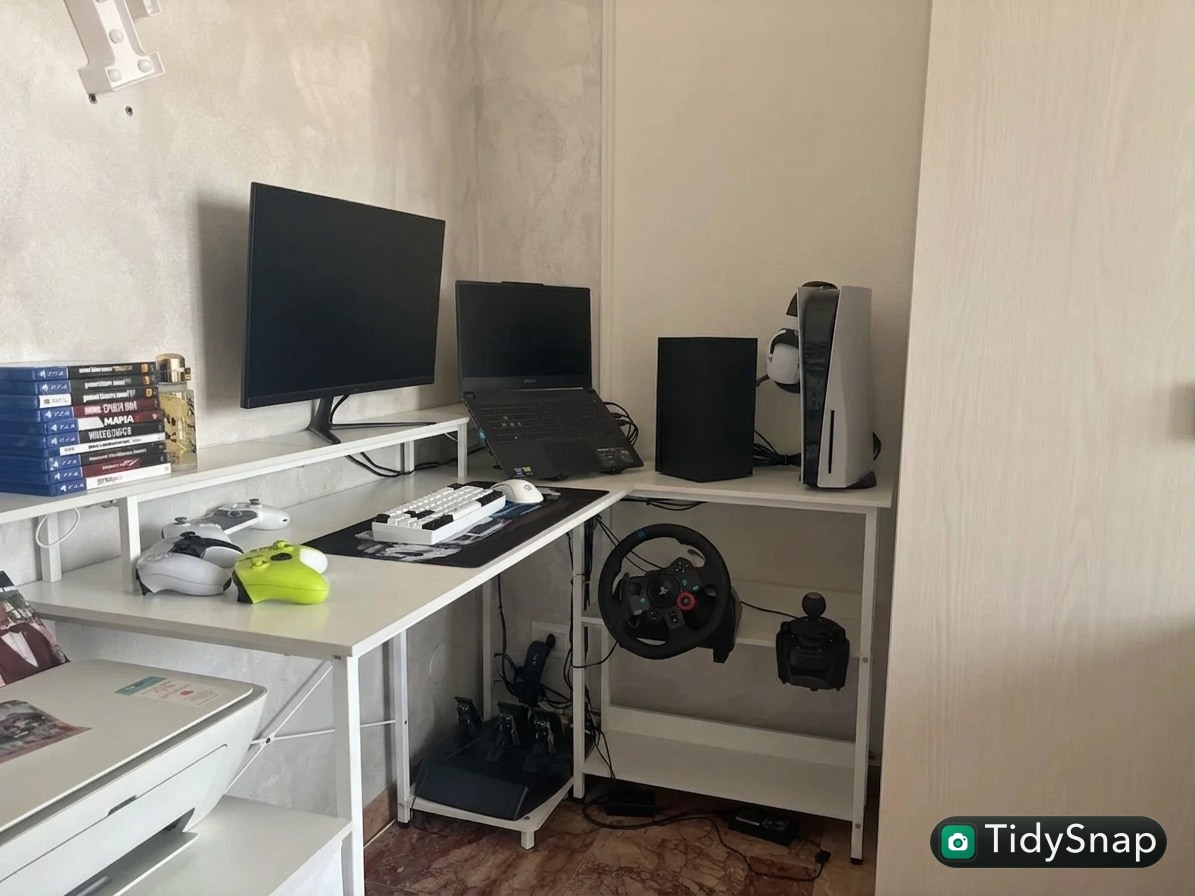
How to Organize a Corner Desk for Daily Work Without Wasting the Best Space
A corner desk looks like it should solve clutter by itself.
You get two sides instead of one. You get more reach. You get more room for screens, notebooks, accessories, and side storage. But in real life, the extra surface often becomes the reason clutter spreads. The deep back corner turns into a dead zone. One side becomes active work space. The other side becomes parking for cables, chargers, unopened mail, headphones, and things you meant to put away later.
That is usually what people mean when they look for ways to organize your workspace or think, “I really need to organize my office.” The problem is not that the desk is too small. The problem is that the layout makes it easy to keep too many zones alive at once.
TidySnap helps when you want to stop guessing. You can upload a photo of your actual corner desk and turn general advice into a layout plan based on your real screen position, side zones, cables, and daily tools.
Quick Answer
If you want to organize a corner desk for daily work, start here:
- choose one side as your main work side
- use the corner itself for anchored items, not loose clutter
- keep the second side for support tasks only
- stop storing random extras in the back half of the desk
- give cables one route instead of letting them cross both wings
- keep one reset rule for each side of the desk
A corner desk works best when it has a clear center of use, not when both sides are treated like equal dumping grounds.
Why Corner Desks Get Messy So Fast
The biggest advantage of a corner desk is also its biggest trap.
Because the desk wraps around you, it feels like every inch is still useful. That leads to three common problems:
- the corner becomes a storage pocket instead of a working zone
- the second wing turns into permanent overflow
- items stay on the desk because there always seems to be room for one more thing
That is why corner desks often look manageable until they suddenly feel crowded everywhere.
Pick a Primary Side First
Most people try to work across the full L shape.
That sounds efficient, but it usually creates unnecessary motion and visual noise. A cleaner setup starts by deciding which side is for primary work.
That main side usually holds:
- your main monitor or laptop
- keyboard and mouse
- the notebook or task pad you actually use during the day
- one drink or one active accessory
The second side should support the first side, not compete with it. That support side can hold:
- a printer
- a charging area
- reference documents
- a lamp
- one tray for in-progress items
When both sides try to be the center, the desk always feels half-organized.
Use the Corner for Anchored Items Only
The actual corner is rarely a good place for loose everyday objects.
It is harder to reach, harder to clean, and easy to ignore. That makes it the wrong home for items like:
- pens you need often
- sticky notes
- loose receipts
- earbuds
- adapters
- random charging cables
The corner is better for anchored items such as:
- a monitor stand
- a desk lamp
- a speaker
- one dock or charging hub
- a plant if it does not interfere with work
Think of the corner as the stable zone, not the catch-all zone.
Do Not Let the Second Wing Become Passive Storage
Many corner desks get messy because one side quietly turns into a holding area for things that do not belong there long term.
That side starts collecting:
- unopened packages
- paperwork that needs decisions
- gadgets you only use occasionally
- notebooks from old projects
- cables you might need later
The fix is simple: give that side a job.
A support wing usually works best in one of these roles:
| Support wing role | What belongs there |
|---|---|
| admin zone | inbox tray, planner, mail, forms |
| device zone | dock, charger, headphones, spare mouse |
| reference zone | notebook stand, documents, manuals |
| output zone | printer, paper, finished items |
One job is enough. Two jobs start to blur. Three jobs create clutter.
Keep Front Reach Clear on Both Sides
A corner desk can feel bigger than it is because the total surface area is large. But the most useful space is still the first layer within easy reach.
Protect the front edge of your main side for active work. Protect the front edge of the support side for one simple support function. Do not let either front edge become a line of permanent objects.
If your forearms, notebook, or mouse keep fighting desk accessories, the desk is not organized yet, even if it looks neat from across the room.
Simplify the Cable Route
Corner desks often create cable sprawl because devices sit on both wings.
That usually means:
- chargers on one side
- screens in the middle
- printer or accessories on the other side
- wires crossing behind everything
A better rule is to give cables one rear path and one exit direction.
Good default options:
- run monitor and dock cables toward the back corner
- route charging cables down the less-active side
- keep only one easy-access charging point on the desktop
If cables cross both wings freely, the whole desk starts looking busier than it is.
Build a Two-Side Reset Rule
A corner desk is easier to maintain when each side has a simple shutdown rule.
For example:
Main side reset
- keyboard centered
- notebook closed or stacked
- only tomorrow’s active tool left out
Support side reset
- loose paper back into tray
- chargers back to one point
- non-daily accessories off the surface or grouped together
This matters because large desks create lazy habits. The more surface you have, the easier it is to postpone decisions.
Where TidySnap Helps
A corner desk is hard to judge from memory because the clutter usually spreads sideways, not just forward.
TidySnap lets you upload a real photo and plan around the actual shape of the desk. That makes it easier to decide:
- which wing should be primary
- what should live in the corner
- where a charging zone should go
- which items belong on the support side instead of the main side
That is much more useful than trying to copy a generic setup photo that does not match your desk shape.
A 10-Minute Corner Desk Reset
If the desk already feels spread out, do this:
- clear both front edges completely
- choose one side as the main work side
- move every non-daily item off that main side
- assign one job to the second side
- remove anything from the corner that is loose, small, or rarely used
- bundle cables into one back path
- leave one obvious empty patch on each wing
That empty space is not wasted space. It is what makes the desk usable.
FAQ
Is a corner desk better for organization?
It can be, but only if each side has a clear purpose. Otherwise it just gives clutter more room to spread.
What should go in the back corner of an L-shaped desk?
Anchored items work best there, such as a monitor, lamp, speaker, or dock. Loose daily clutter usually becomes harder to manage there.
How do I keep one side from turning into storage?
Give that side a single role, like paperwork, charging, or printing. If it has no defined job, it becomes overflow by default.
Should both sides of a corner desk be active work space?
Usually no. Most people work better when one side is primary and the other side supports it.
A corner desk feels better when it stops pretending every inch should be equally busy. The goal is not to fill the shape. The goal is to make the shape easier to use every day.