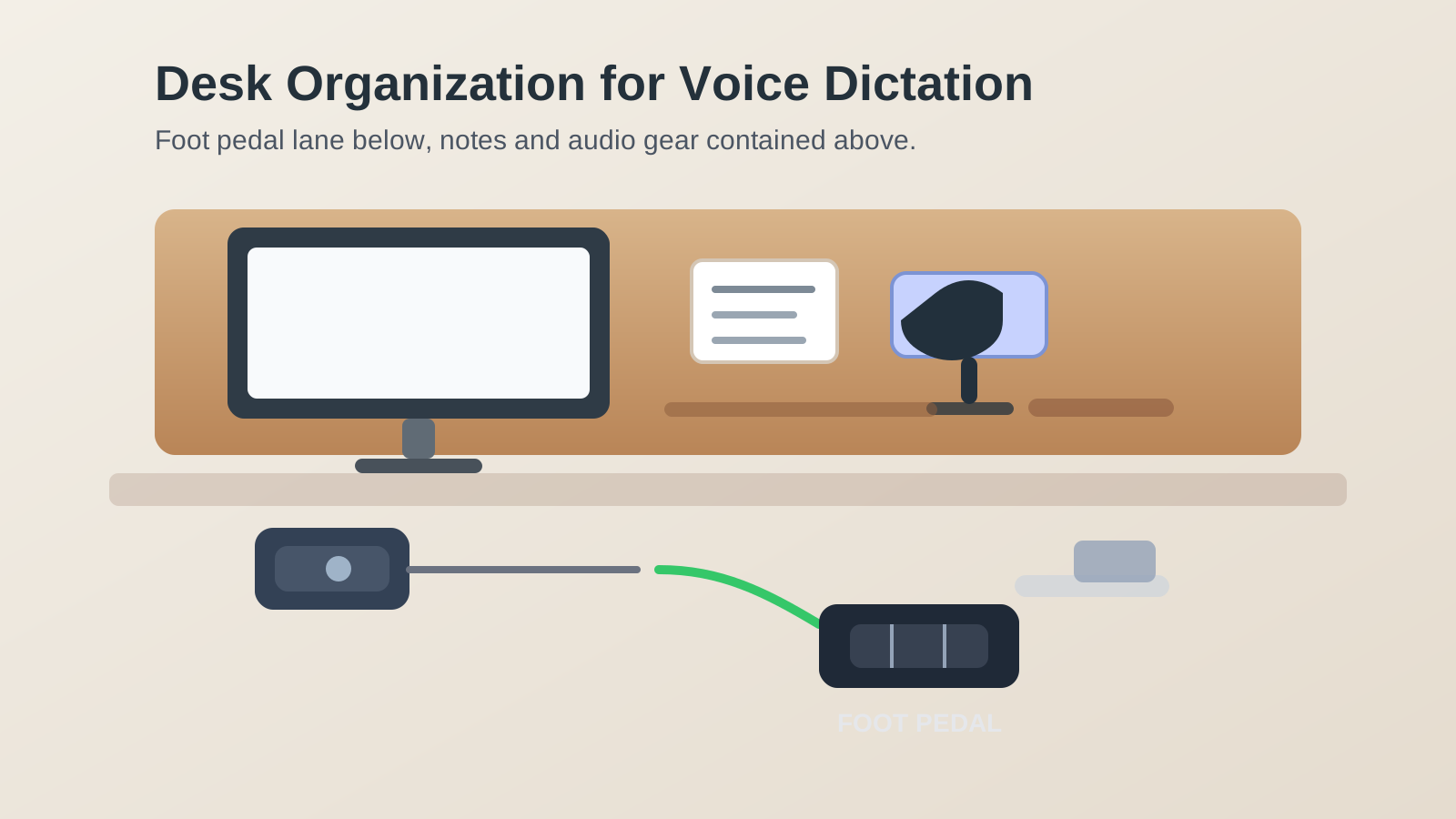
Desk Organization for Voice Dictation With a Foot Pedal
Voice-dictation desks rarely look messy for the same reason ordinary desks do.
The trouble usually starts below the desktop. A foot pedal needs stable floor space. A headset cable or charging cable crosses the same lane. Source notes drift toward the keyboard because your hands are busy listening, correcting, or speaking. By the time the session ends, the desk may still look mostly reasonable from above, but the whole setup feels harder to move through and harder to reset.
If you want better desk organization for voice dictation with a foot pedal, the goal is not only fitting one more device into the setup. The goal is protecting a reliable floor control lane while keeping your notes, audio gear, and keyboard area from collapsing into one crowded transcription zone.
Quick answer
To organize a desk for voice dictation with a foot pedal:
- give the pedal one fixed floor position that does not fight your chair path
- keep headset and charging cables out of the same lane as your foot control
- place source notes where you can glance at them without dropping them into the keyboard area
- separate live dictation tools from normal desk supplies
- decide whether the pedal is a full-day tool or a session-only tool
- reset the floor and note zones when dictation work ends
That usually works better than treating the pedal like a small accessory and letting the rest of the setup improvise around it.
Why foot-pedal setups create a different kind of clutter
A foot pedal changes the workspace in two directions at once.
Above the desk, you need room for notes, corrections, a keyboard, and often a headset or microphone. Below the desk, you need one consistent place for your foot to land without hitting a bag, wheel, charger, or cable loop. That is why dictation clutter feels different from general desk clutter. The problem is not only that there are too many items. The problem is that one workflow depends on a reliable hand zone and a reliable foot zone at the same time.
Build the setup around one foot-control lane
A foot pedal works best when it has a repeatable home.
If it slides around, sits half under the chair base, or competes with a footrest or bag, every session starts with small physical adjustments. That friction is easy to ignore until it starts slowing the work.
A better default is to define one foot-control lane:
- the pedal sits where your active foot can reach it naturally
- the chair can still roll in and out without clipping it
- no charger brick, tote strap, or cable slack crosses the same path
- any other floor tool stays outside that lane
The goal is not perfect symmetry. The goal is landing on the pedal without hunting for it.
Keep the dictation floor zone separate from your chair path
Many foot-pedal setups fail because the pedal is technically reachable but not stable.
It may work when you first sit down, then drift when you shift the chair, stand up, or pull one leg back. A workspace that depends on repeated pedal taps needs more consistency than that.
If possible, keep three under-desk roles separate:
| Floor area | What belongs there | What stays out |
|---|---|---|
| chair path | normal rolling and leg movement | pedal, bag, cable slack, power bricks |
| foot-control lane | the dictation pedal only | footrest, storage items, backup gear |
| support edge | one controlled cable route if needed | loose accessories and drifting chargers |
That layout matters because a transcription workflow breaks down quickly when the floor area keeps changing shape.
Give source notes one reading position instead of three temporary ones
A lot of dictation clutter is really note-placement clutter.
One printed page lands beside the keyboard. Another waits half under the monitor. A correction list sits on top of the notebook because there is nowhere else for it to go. Then the desktop starts behaving like a staging table for fragments instead of one active task surface.
Choose one primary reading position for source material:
- one upright holder beside the screen
- one flat note lane above the keyboard
- one compact stack on the non-mouse side
What usually does not work is letting notes spread across every open space while the pedal controls the pace below.
Keep audio gear in one support cluster
Voice dictation often attracts more audio gear than people expect.
Even a simple setup can gather:
- headset or earbuds
- inline control or mute button
- charging cable
- backup adapter
- a small microphone or USB interface
Those items should not float around the keyboard just because they are all related to dictation. Keep them in one support cluster on the same side as the primary cable exit or the source-note zone. If a tool is not touched during the next session, it does not need prime desk space.
Decide whether the pedal lives out all day
This decision changes everything else.
If you dictate throughout the day
Treat the pedal like core equipment. Give it a stable floor position and build the desk so the note zone and cable route stay predictable around it.
If you only dictate in work blocks
Treat the pedal like a deploy-and-return tool. It can still have one default landing spot, but it should not stay underfoot when you have switched back to email, meetings, or normal writing.
Many setups feel awkward because the pedal never becomes fully active or fully stored. It just lingers in the floor zone, ready enough to trip over and not ready enough to help.
Do not let charging cables become part of the pedal lane
A foot pedal is easy to blame when the real issue is cable drift.
Headset charging lines, laptop power cables, or phone cords often end up in the same lower-right or lower-left area because that is where the desk outlet or dock happens to sit. Then the pedal starts sharing space with loops of cable that were never meant to move under a foot.
A better rule is simple:
- route active charging lines behind or away from the pedal lane
- keep only the cable length you actually need near the floor
- avoid mixing temporary charging with your pedal side
- remove old adapters and low-value backup cords from the dictation area
The pedal should feel like a control, not like something you are operating through wires.
Reset the workspace back to normal mode after dictation
Dictation work often leaves behind small leftovers instead of one obvious mess.
A note page stays out. The headset remains on the desk. The pedal gets kicked a little to one side. The correction pen stays near the keyboard. None of that feels serious, but it makes the next task inherit the whole dictation setup.
A short reset helps:
- return the pedal to its exact home or put it away fully
- clear finished notes and keep only the next live source page
- return headset and audio accessories to their support zone
- move stray cables out of the foot-control lane
- check that the keyboard and mouse area feel normal again
That reset is what keeps a specialized workflow from redrawing the desk all day.
A practical layout for most dictation desks
If you want a simple starting point, this arrangement usually works:
- center: keyboard or laptop in the normal typing position
- reading side: one holder or compact source-note stack
- support side: headset, one charging path, and one small accessory tray
- floor control lane: foot pedal in one repeatable spot
- clear zone: enough open floor for chair movement without touching the pedal
This layout works because it treats dictation as a two-level workflow instead of a normal desk with one extra gadget.
Where TidySnap helps
Dictation setups can be hard to judge because the desktop and floor problem rarely show up at the same time in your head. A photo makes it easier to spot when the note lane is spreading, when the support gear is crowding the keyboard, or when the pedal lane is sharing space with cables and chair movement.
TidySnap helps you see whether the desk is supporting voice work cleanly or quietly turning every session into a small reset project.
FAQ
Where should a foot pedal go under a desk?
Usually in one repeatable spot just outside the main chair path, where your active foot can reach it naturally without crossing cables or bumping a bag.
Should I leave a dictation pedal under my desk all day?
Only if you use it throughout the day. If dictation happens in blocks, it usually works better to give the pedal a true put-away routine between sessions.
How do I keep notes from taking over the desk during dictation?
Pick one reading position for the active page set and move backup pages into a separate folder, tray, or stack instead of scattering them around the keyboard.
What is the biggest mistake in a foot-pedal desk setup?
Letting the pedal share space with cable slack, chair wheels, or other floor items. Once that happens, every session starts with small disruptions.
Final thought
A foot pedal should make dictation smoother, not make the whole desk feel more awkward to use.
When the pedal has one true floor lane, notes stay in one readable zone, and audio accessories stop spreading into the keyboard area, the workspace becomes easier to trust. That is the real win: faster voice work without turning the desk into a permanent transcription station.