Copy Room Finishing Station for Staplers, Hole Punches, and Packet Assembly
A copy room often looks organized right up until the printer job ends.
The pages come out in order, but then the real mess starts. One stack needs a staple in the top corner. Another needs a three-hole punch before it can go into binders. Divider tabs are sitting beside cover sheets from a different packet. Someone leaves a heavy stapler on top of finished handouts because the next batch is already printing. Before long, the copy room is not only a place to print. It is a place where half-finished packet work spreads across every open edge.
If you are trying to improve copy room organization, the goal is not only keeping supplies neat. The goal is creating one clear finishing station where printed jobs can be sorted, punched, stapled, assembled, and cleared without blocking the next person at the machine.
Quick answer
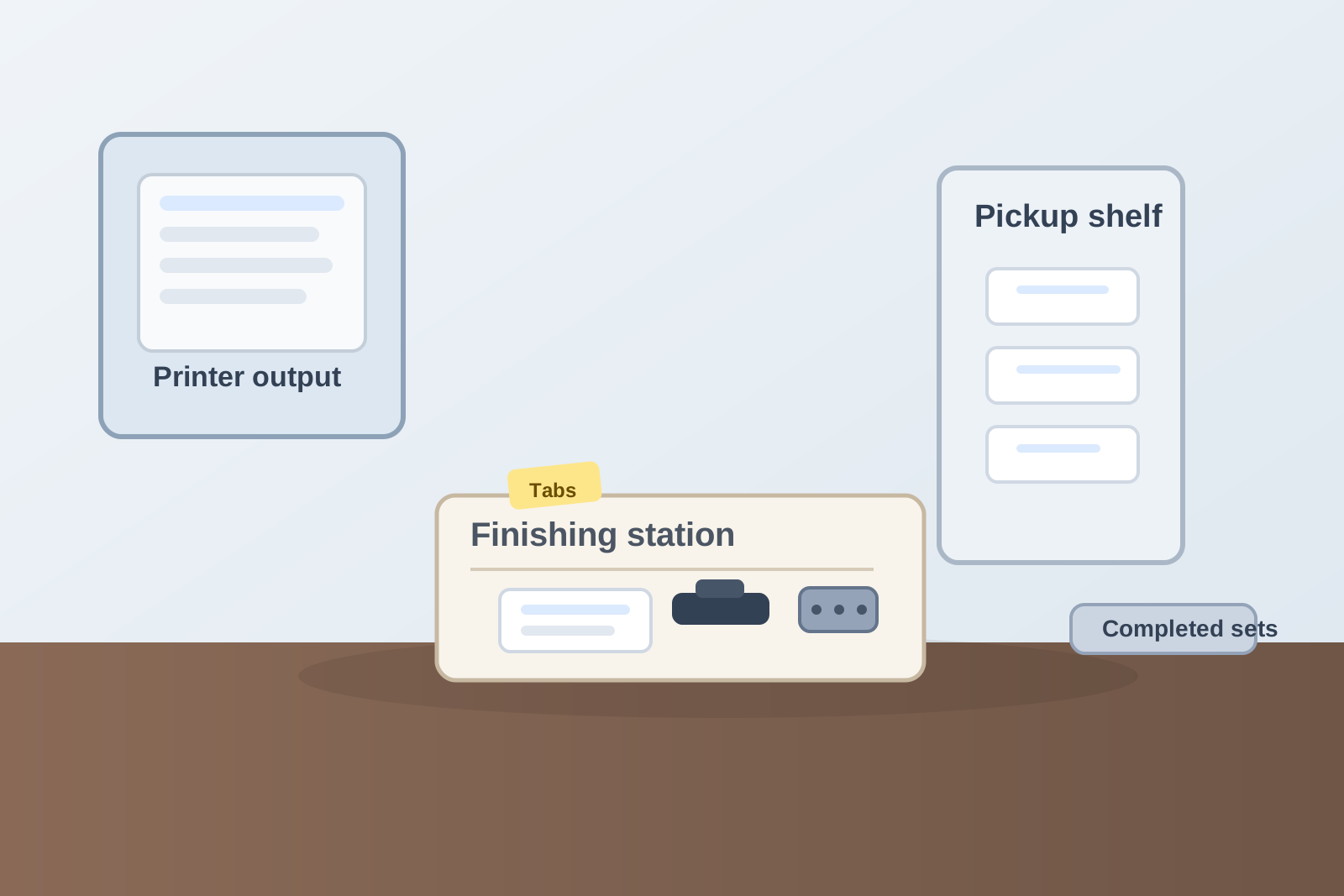
A copy room finishing station usually works better when you separate active packet assembly from printer output, keep fastening tools in one compact zone, give cover sheets and dividers a clear support lane, and move completed sets out of the room quickly.
In practice, that usually means:
- protecting one open finishing surface away from the printer output tray
- keeping staplers, hole punches, clips, and binding tools in one repeatable spot
- separating packet parts that are still being assembled from packets that are done
- storing extra covers, tabs, and specialty finishing supplies one layer deeper
- clearing partial jobs before they turn into copy room backlog
Why copy rooms get messy after the printing is already done
Printing is only one step.
In many offices, the copy room also handles:
- stapling handouts
- hole-punching packets for binders
- adding divider tabs or covers
- sorting multi-page sets into final order
- clipping or rubber-banding completed packets
- holding short runs that are waiting for pickup
That is why the room can feel crowded even when the printer itself is working fine. The clutter comes from unfinished print jobs sitting in different states at the same time.
A packet that is printed but not stapled is not finished. A stack that is punched but still missing tabs is not finished either. If those stages all share one flat surface, people keep rechecking piles just to remember what still needs to happen.
Separate printer output from finishing work immediately
This is the most important distinction in the room.
Freshly printed pages need a short landing window, but they should not stay mixed with the tools and materials used to finish them. If staplers, clips, divider packs, and completed packets all collect around the output tray, the next print job starts landing on top of post-print decisions.
A better layout creates two clear zones:
| Zone | What belongs there | What should leave fast |
|---|---|---|
| print output zone | pages that just finished printing, one short pickup stack | staplers, hole punches, completed packets, old scrap pages |
| finishing zone | one active packet job, fastening tools, current cover sheet or divider set | unrelated supplies, archived handouts, extra backup stock |
This works because it keeps the machine area readable. The printer tells you what just came out. The finishing station tells you what still needs assembly.
Keep fastening tools together instead of scattering them by task
Copy rooms often have the right tools but in the wrong pattern.
The stapler is near the paper cabinet. The three-hole punch lives on a side shelf. Binder clips are in a drawer nobody opens until the stack is already sliding apart. By the time someone has gathered what they need, they have built the packet across three surfaces.
A better finishing setup keeps the core tools together:
- one heavy stapler
- one hole punch
- one clip or binder clip spot
- one small stack of covers or backing sheets if used often
- one narrow place for tabs or special inserts during active jobs
You do not need a large workstation. You need a finishing cluster that makes the last steps obvious.
Treat packet assembly as a live workflow, not as temporary storage
A lot of copy room clutter comes from partial jobs that stay out too long.
One packet is waiting for a missing signature page. Another is printed but still needs blue covers. A training set is collated but not yet stapled because the meeting moved. Those piles all look reasonable in the moment, but together they turn the finishing area into backlog storage.
A better rule is simple: the finishing surface is for jobs moving now.
If a packet is paused for later, move it to one clearly marked hold spot instead of letting it stay in the active finishing lane. That keeps the next job from building around yesterday’s unfinished packet.
Store specialty finishing materials one layer deeper
Copy rooms feel busier than they are when too many rarely used items stay visible.
That often includes:
- extra divider packs
- binding combs
- laminating sleeves that belong somewhere else
- specialty color covers
- spare folders for occasional presentation sets
- old sample packets kept for reference
Only the materials used in current rotation should stay in the main finishing layer. Backup or rare-use materials can live in a labeled drawer, side cabinet, or upper shelf. The visible station should support today’s packet work, not every handout format the office has ever created.
Give completed packets an exit zone
A finishing station gets clogged when completed sets have nowhere to go.
Once packets are stapled, punched, or assembled, they should move immediately into one pickup or delivery area such as:
- one shelf for meeting handouts ready to grab
- one cart for classroom or event packets
- one labeled pickup bin for internal departments
- one short stack zone for same-day distribution
The important part is that finished packets stop living on the same surface as unfinished ones.
Use a short reset after every packet run
Copy room finishing stations usually do better with frequent quick resets than with occasional deep cleanups.
Try this after a busy print-and-assemble block:
- move finished packets to the pickup zone
- throw away test sheets, scrap covers, and empty tab packaging
- return stapler, punch, and clips to the finishing cluster
- put paused jobs into one hold spot instead of leaving them spread out
- leave one open rectangle ready for the next packet run
That reset usually takes less than five minutes, but it keeps the room from carrying yesterday’s assembly decisions into today’s print jobs.
Where TidySnap can help
Copy rooms are tricky because the clutter often starts after the printer has already done its job. A photo makes it easier to see whether finishing tools are scattered, whether completed packets have no exit zone, and whether paused assembly work is blocking the next run. TidySnap can help turn that real copy room photo into a clearer plan for printer output, finishing work, support supplies, and pickup flow.
Final thought
A good copy room finishing station does not only help people print. It helps them complete the job. When printer output, fastening tools, active packet assembly, and finished handouts each have a clear place, the room stays faster to use and much easier to reset.